Craigslist Mobile Marketplace Redesign
Improving browsing clarity, transaction trust, and in-app communication for local secondhand buying.
Role
Product Designer
Timeline
3 months | 2026
Skills
Figma, Photoshop
Overview
This was a UX/UI redesign project focused on improving the buyer-side experience on the Craigslist mobile app. I focused on the core flow from searching for an item, evaluating the listing, and contacting the seller. I redesigned the product browsing experience, seller trust signals, and in-app communication flow to help buyers compare listings more efficiently and feel more confident before reaching out to a seller.
This project also allowed me to own an end-to-end usability testing process and A/B Testing, from test planning and task design to observation, documentation, and design iteration. I first created an initial redesign based on the existing product experience, then conducted task-based usability testing to observe how users interacted with the flow. Based on the findings, I refined the design structure, interaction details, and visual hierarchy.
Initial Assessment
Before moving into design, I started with a common secondhand furniture buying scenario to identify the key barriers buyers might encounter when moving from product discovery to seller contact on Craigslist.
Scenario
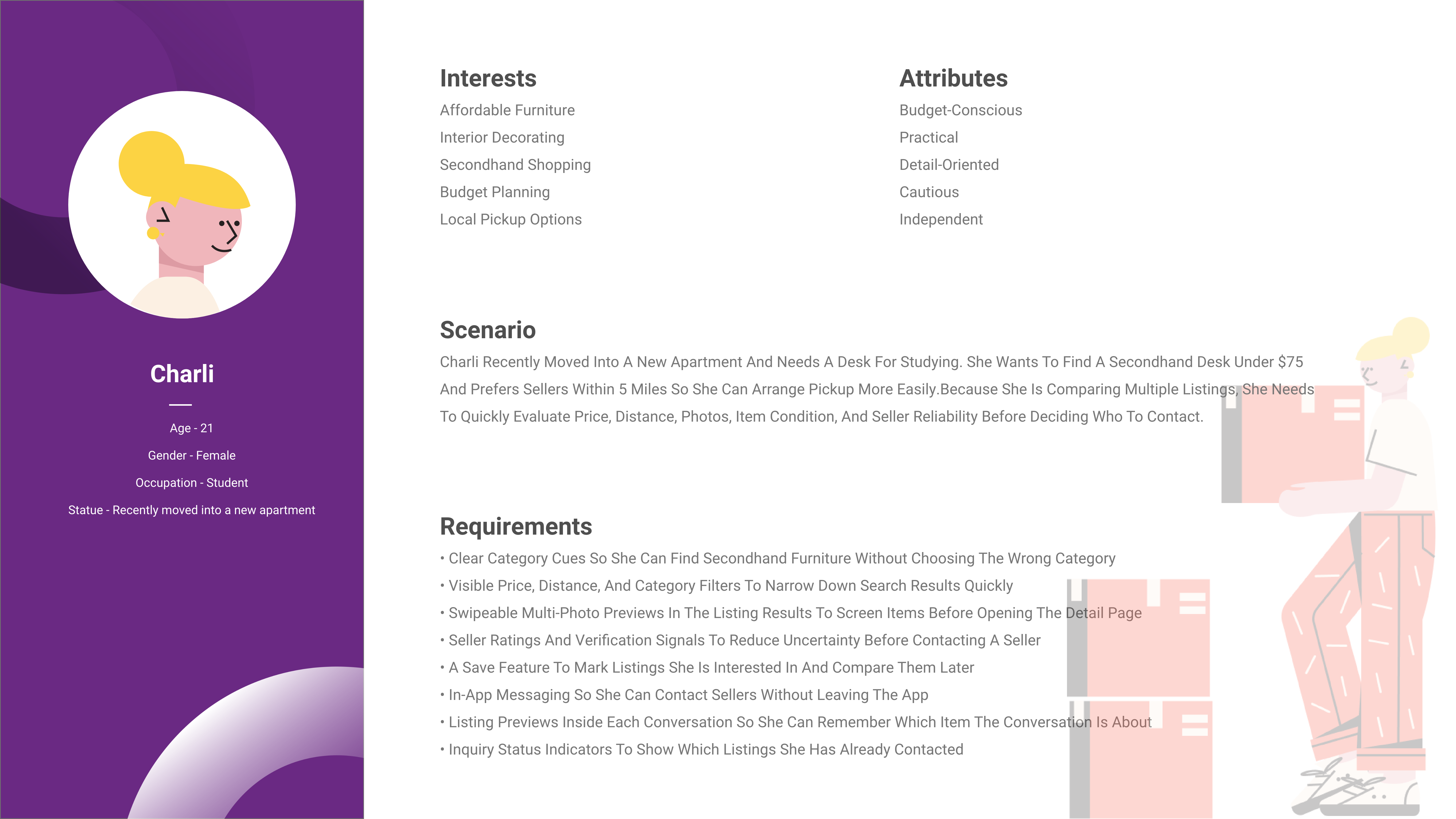
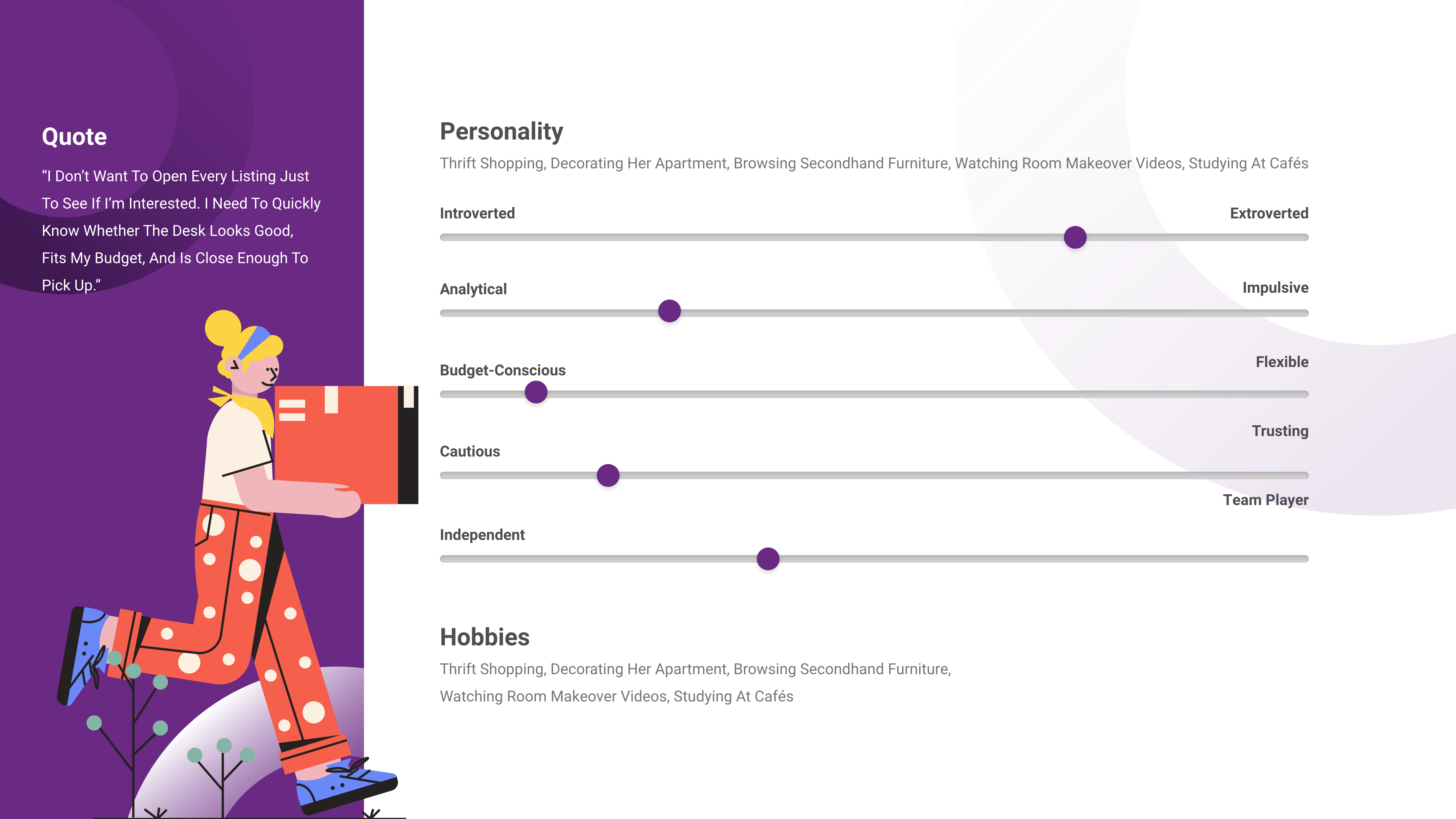
Charli is a college student who recently moved into a new apartment. She wants to find a secondhand desk within a limited budget, ideally under $75. She also wants the seller to be within 5 miles so she can arrange a convenient time to pick it up in person.
Current User Flow

Problem Identified
Browsing inefficient
The listing page does not provide enough information for quick evaluation. Buyers have to repeatedly open individual product pages to check photos, distance, price, and seller details, which increases the effort required to browse and compare listings.
Limited Trust Signals
Secondhand transactions require buyers to assess whether a seller feels trustworthy before reaching out. However, the current interface provides limited seller information, which increases uncertainty before initiating contact.
Fragmented Communication
Contacting a seller takes buyers outside the app through phone calls or text messages. This separates listing details from the conversation history and makes it harder to follow up on multiple listings.
Design Goals
Improve Product Discovery
Help buyers scan, filter, and compare listings more efficiently while reducing cognitive load in high-density listing pages.
Increase Transaction Confidence
Provide clearer seller information and trust signals so buyers can make more confident decisions before contacting a seller.
Reduce Communication Friction
Keep the communication flow within the app so listing details, inquiry history, and follow-up coordination can stay in one place.
Proposed User Flow

Prototype V1: Initial Design Direction
1.Improve Product Discovery
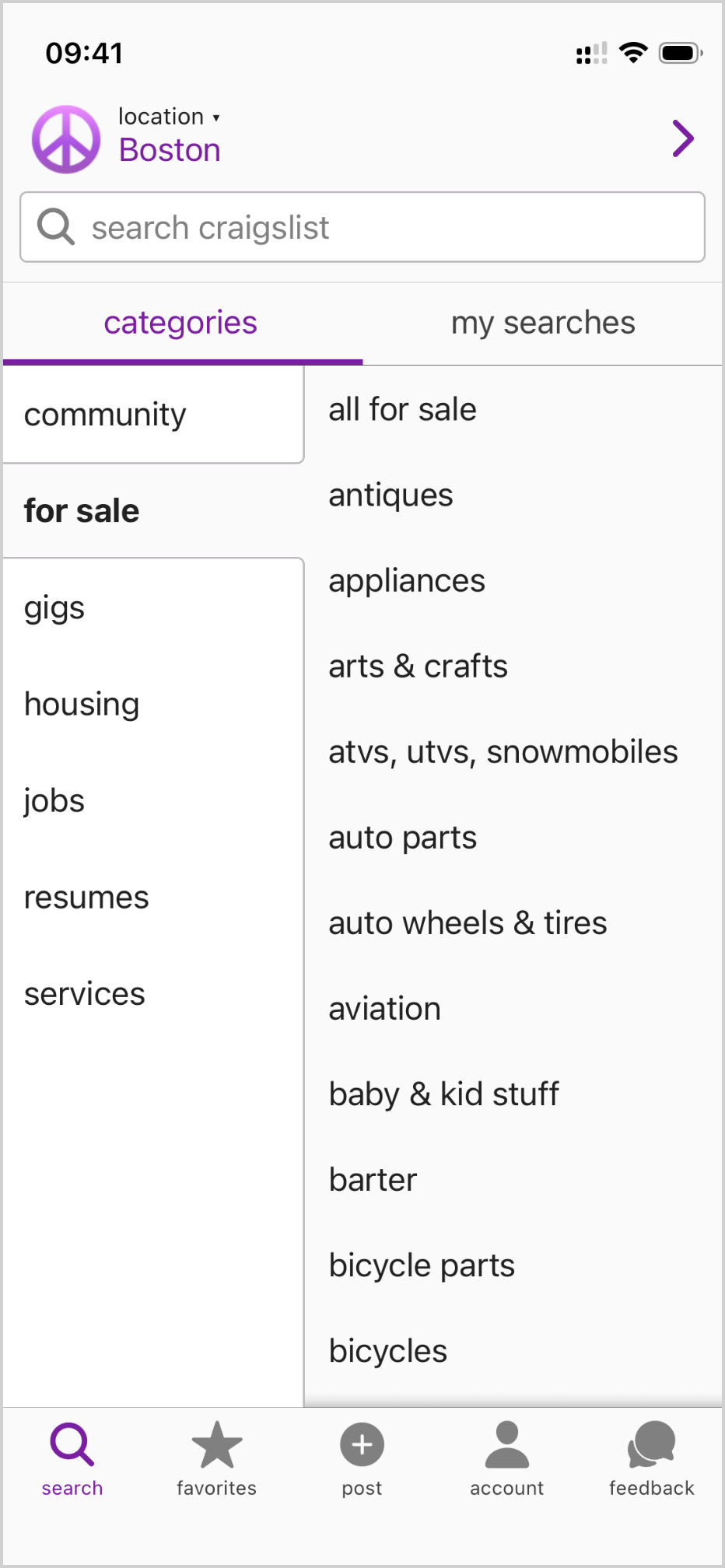
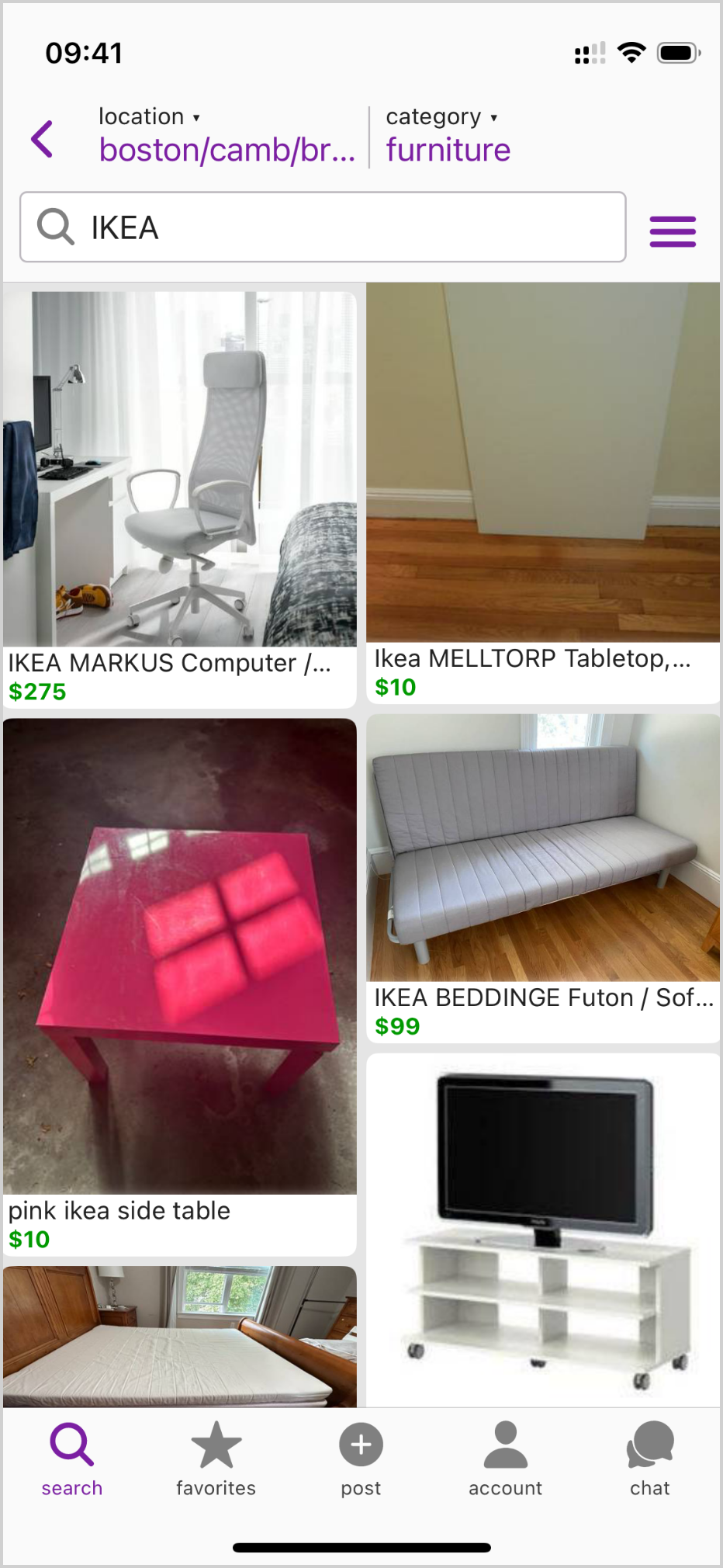
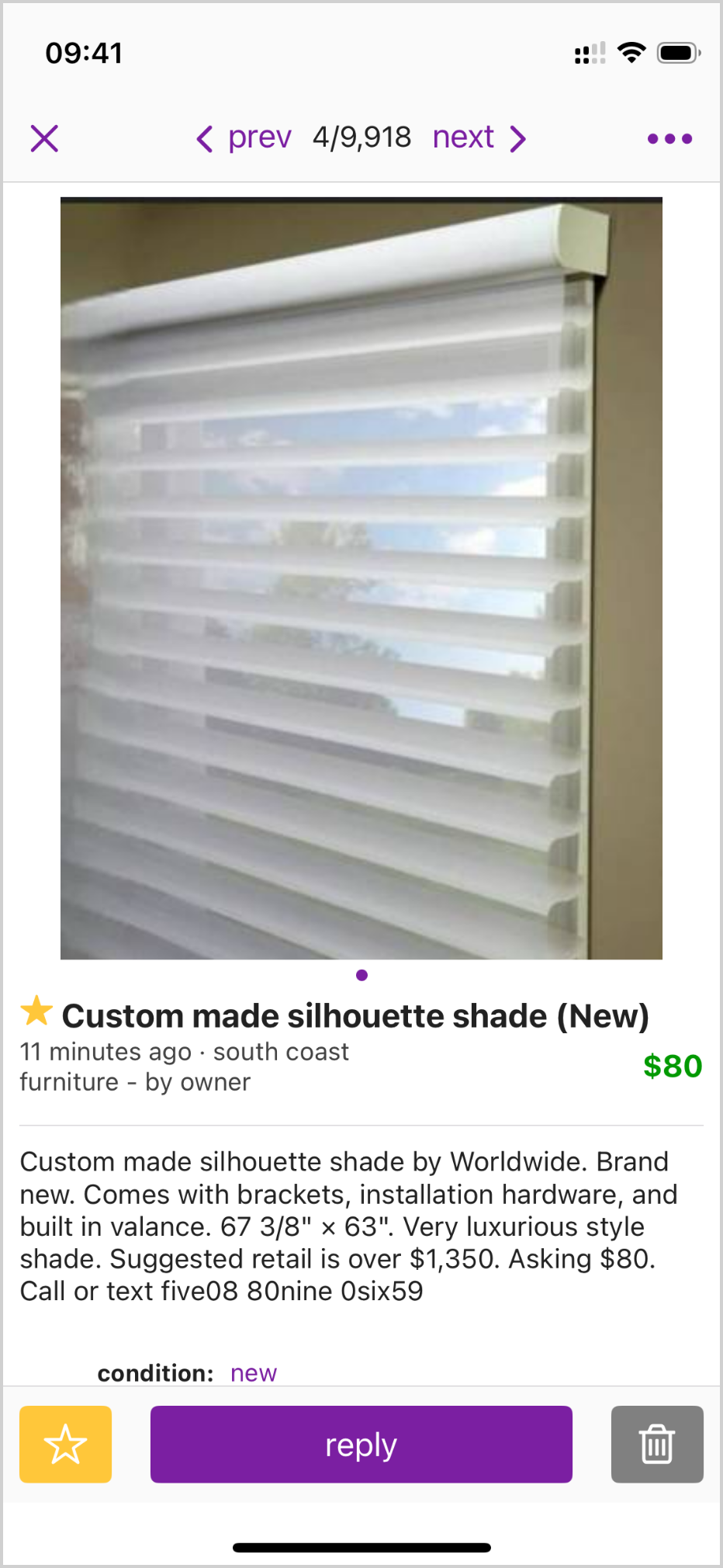
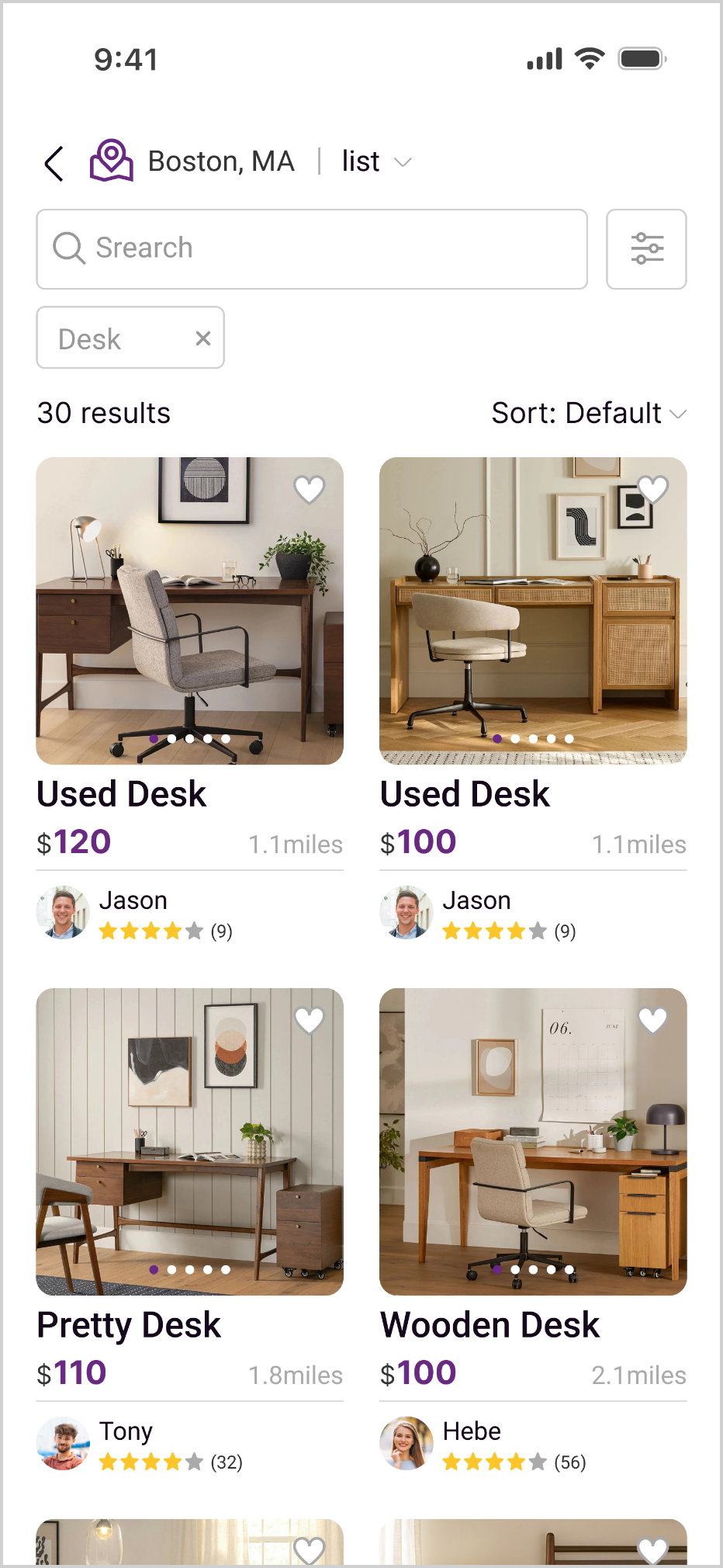
In the original masonry layout results, buyers could not evaluate each listing effectively from the results page alone. To review more photos, check the distance, understand the item details, and assess the seller, they had to open individual product pages and return to the list repeatedly.
On a mobile interface, this repeated switching created unnecessary navigation friction and made side-by-side comparison more difficult.
Previous vision
Redesign vision
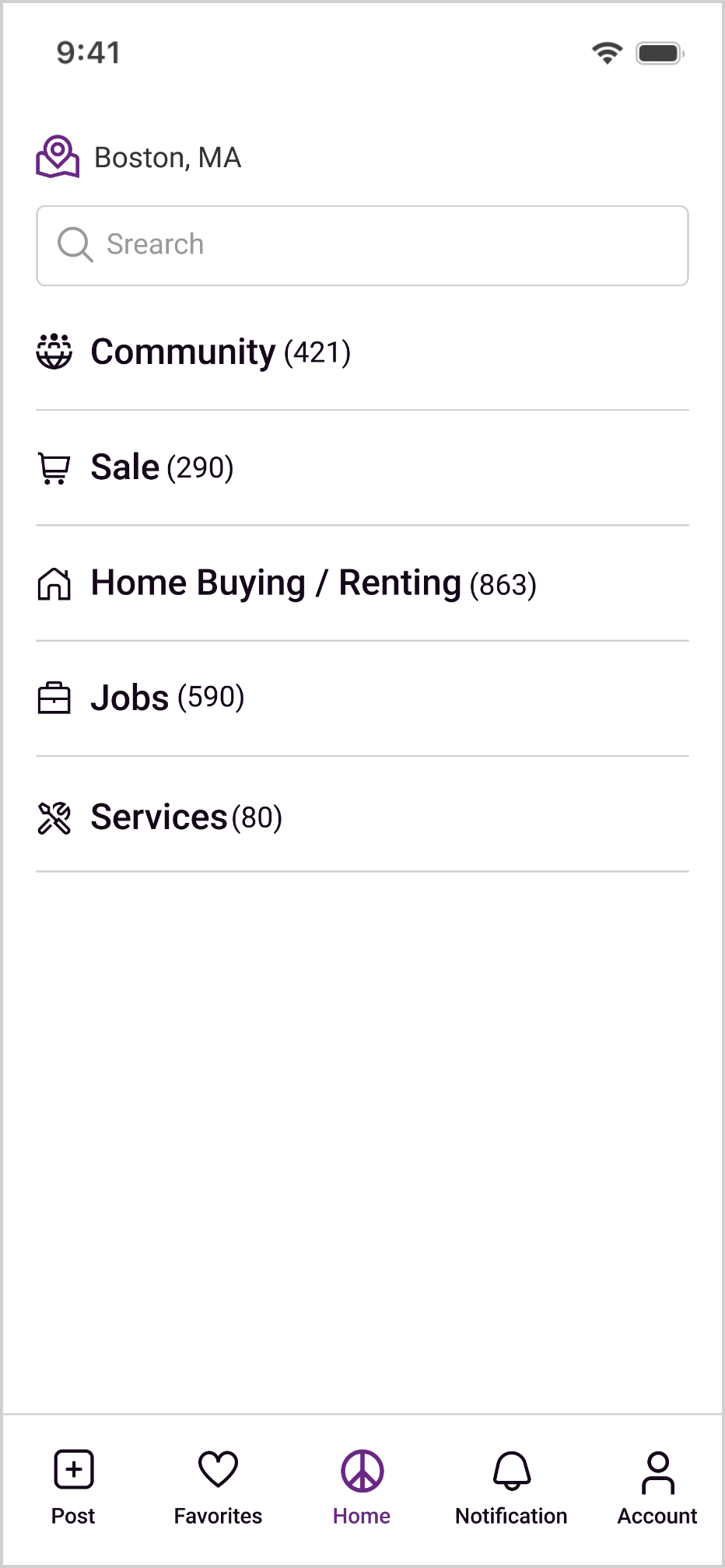
Key Changes
Category Recognition
Add icons to the primary categories to help buyers recognize different categories more quickly.
Show item counts next to each primary category so buyers can understand the size of each category before entering it.
Listing Scannability
Replace the masonry layout with a grid layout to reduce visual clutter and make the listing results easier to scan.
Emphasize price information to help buyers quickly determine whether a listing fits their budget.
Display distance information to help buyers evaluate the feasibility of local pickup.
Listing Evaluation
Add swipeable multi-photo previews to the listing results so buyers can do an initial screening before opening the detail page and assess whether the item’s appearance and condition fit their needs.
Provide a save-to-favorites feature so buyers can mark listings they are interested in and revisit them later for comparison.
2.Increase Transaction Confidence
The sense of risk in secondhand transactions often comes from a lack of transparency. Buyers need to evaluate not only whether the item fits their needs, but also whether the seller seems reliable.
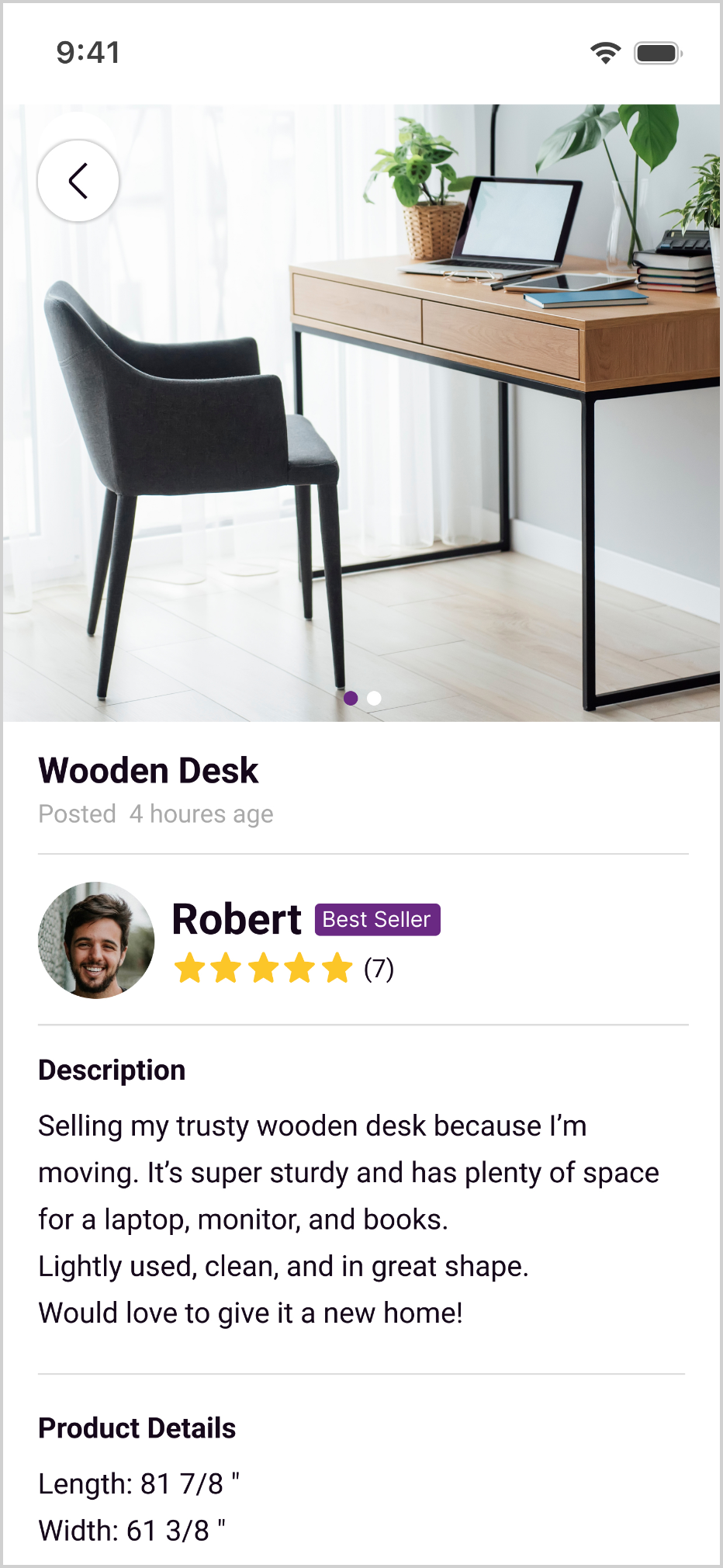
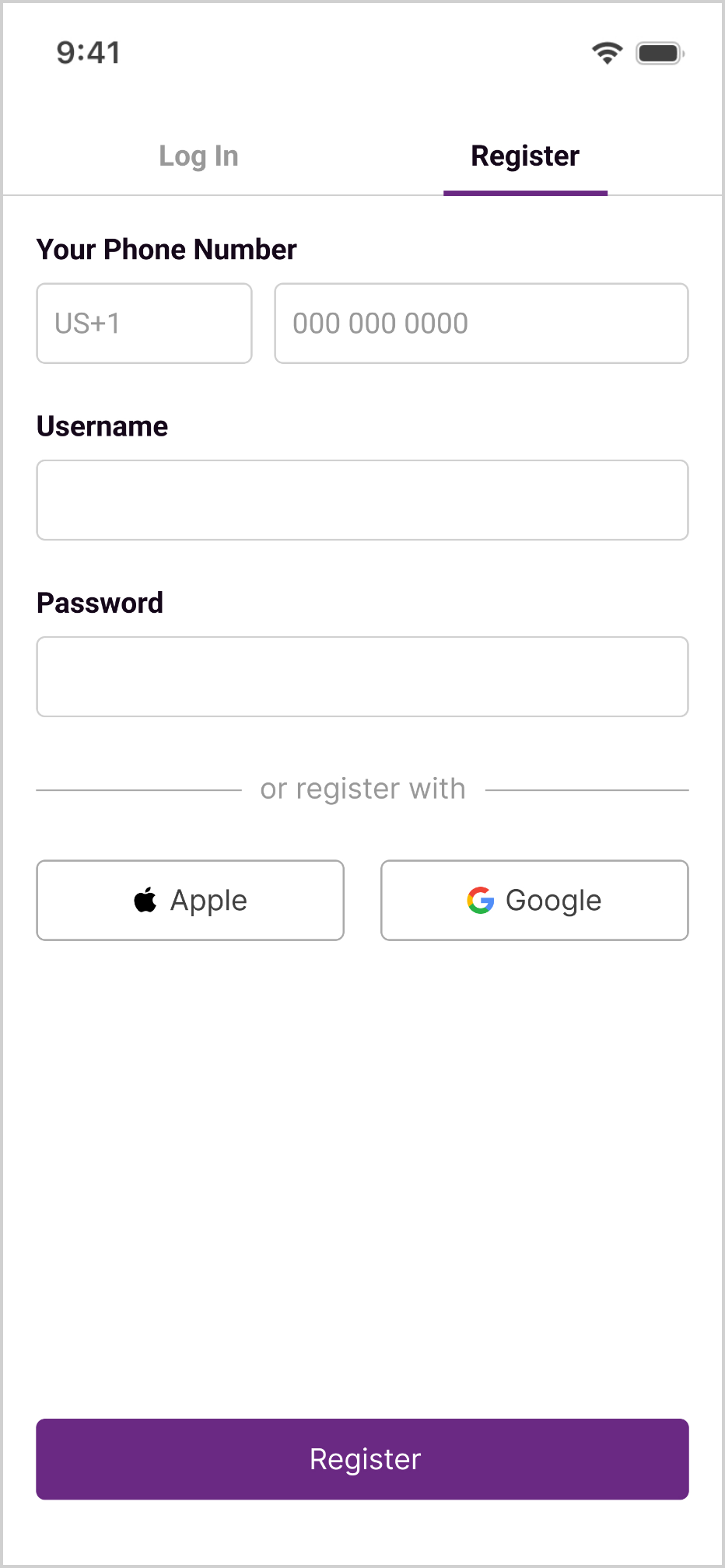
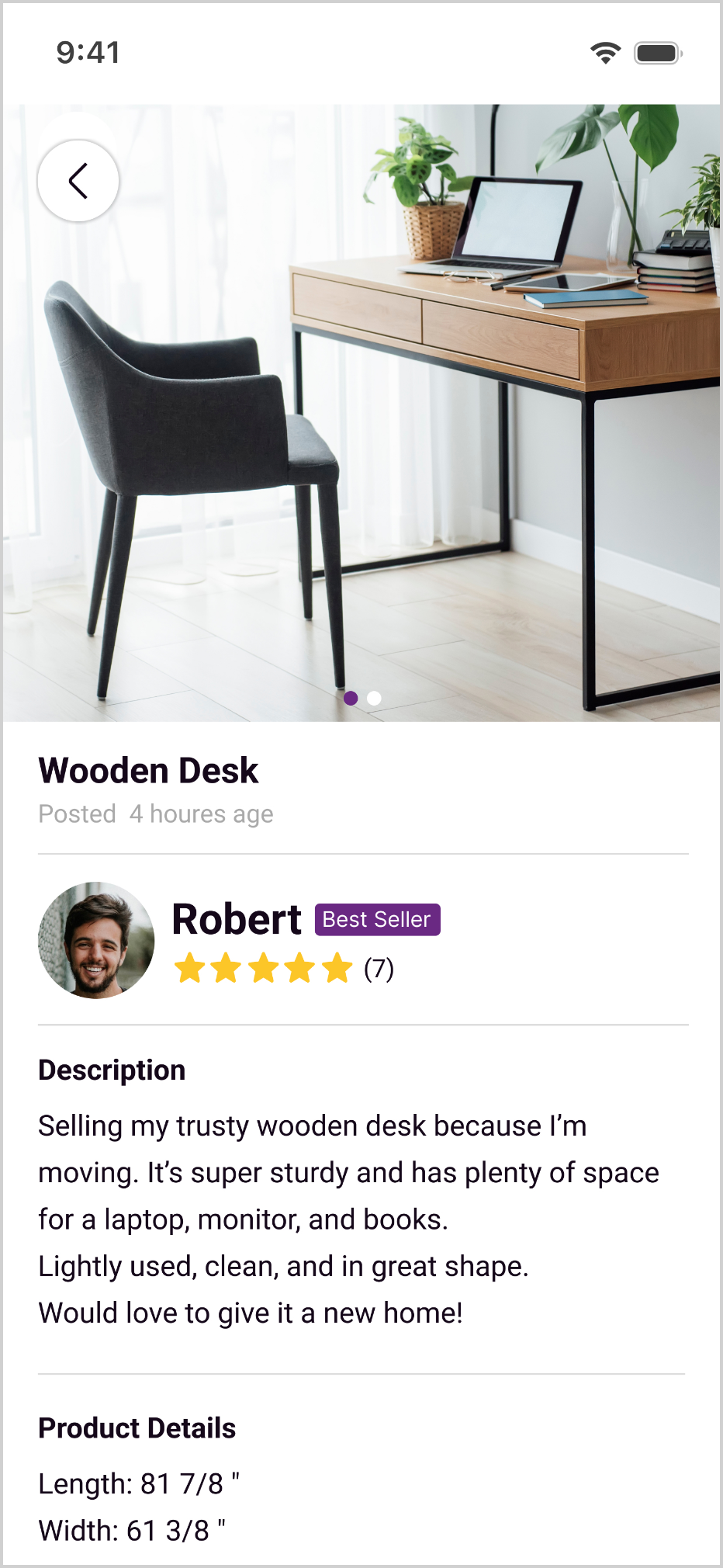
In the original Craigslist experience, seller information and trust signals were limited, which could make buyers hesitate before reaching out. To address this, I introduced phone verification as a trust layer and added seller ratings to both the listing results and product detail pages. This allowed buyers to access basic trust signals earlier in the browsing process and reduce uncertainty before contacting a seller.
Redesign vision
Key Changes
Introduce phone verification to reduce concerns around spam and fake accounts.
Add seller ratings to help buyers evaluate whether a seller meets their expectations before reaching out.
3.Reduce Communication Friction
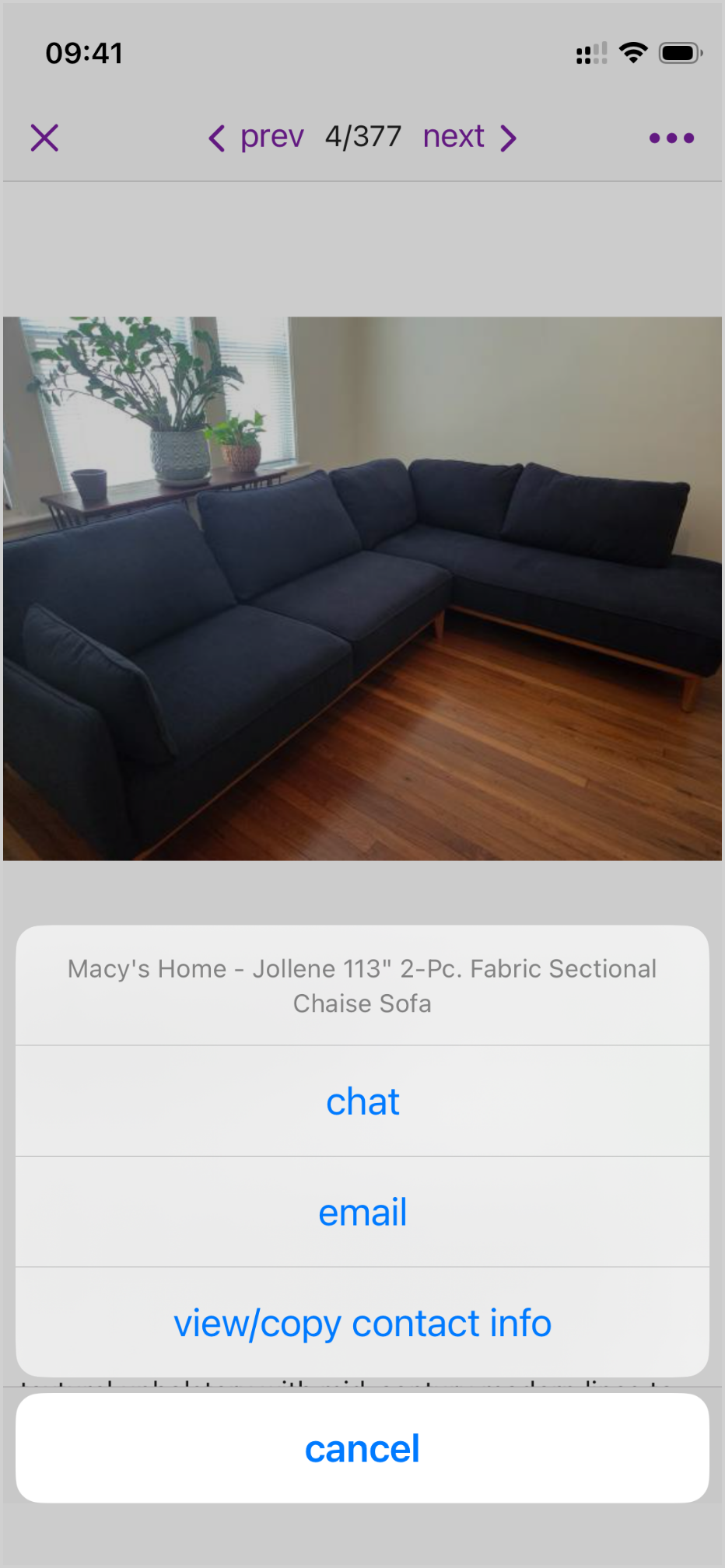
In the original Craigslist experience, buyers had to leave the app and contact sellers through phone calls or text messages. This created context switching, interrupted the inquiry flow, and separated listing details from the conversation history.
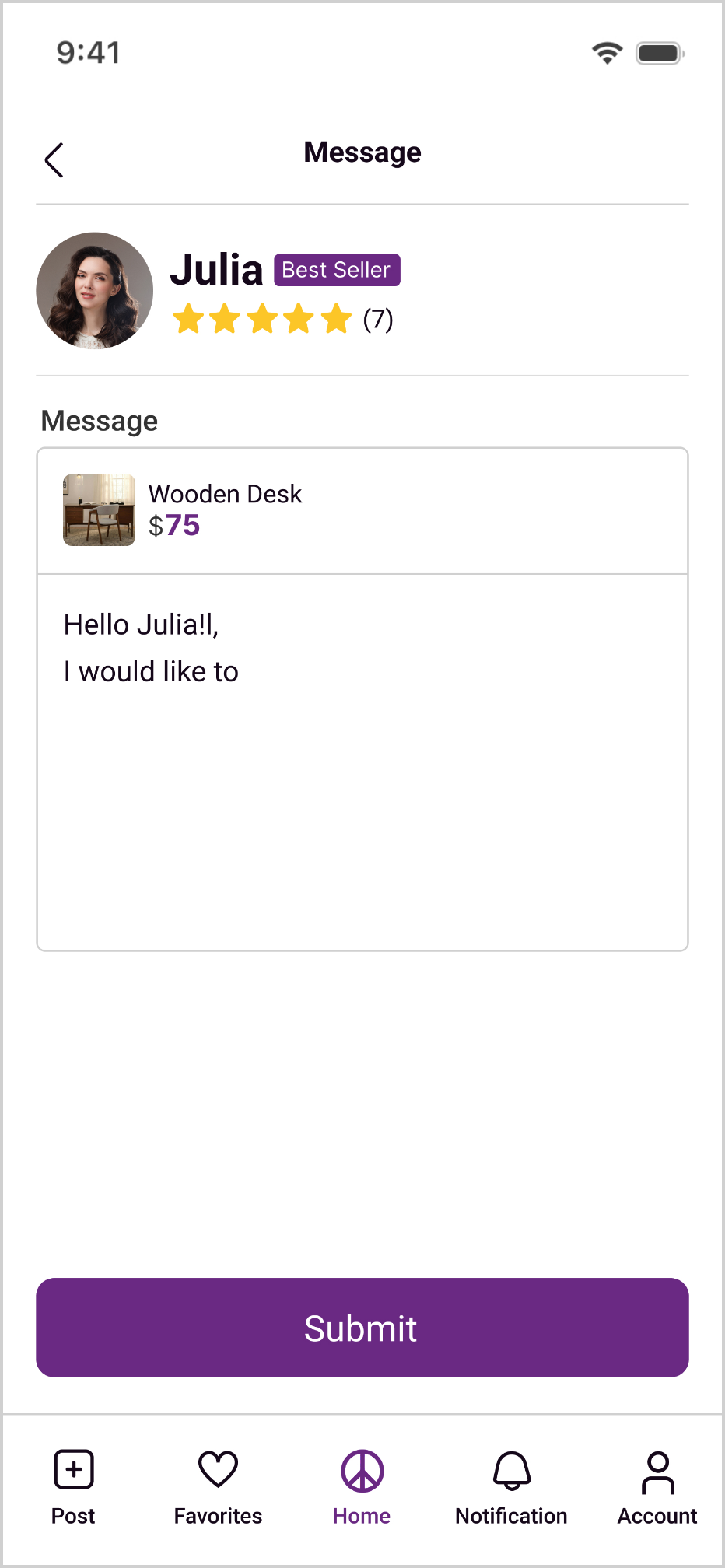
When buyers reached out about multiple listings, it became easy to lose track of which items they had already asked about or confuse conversations with different sellers. To address this, I designed an in-app messaging system that allows buyers to contact sellers directly within the app.
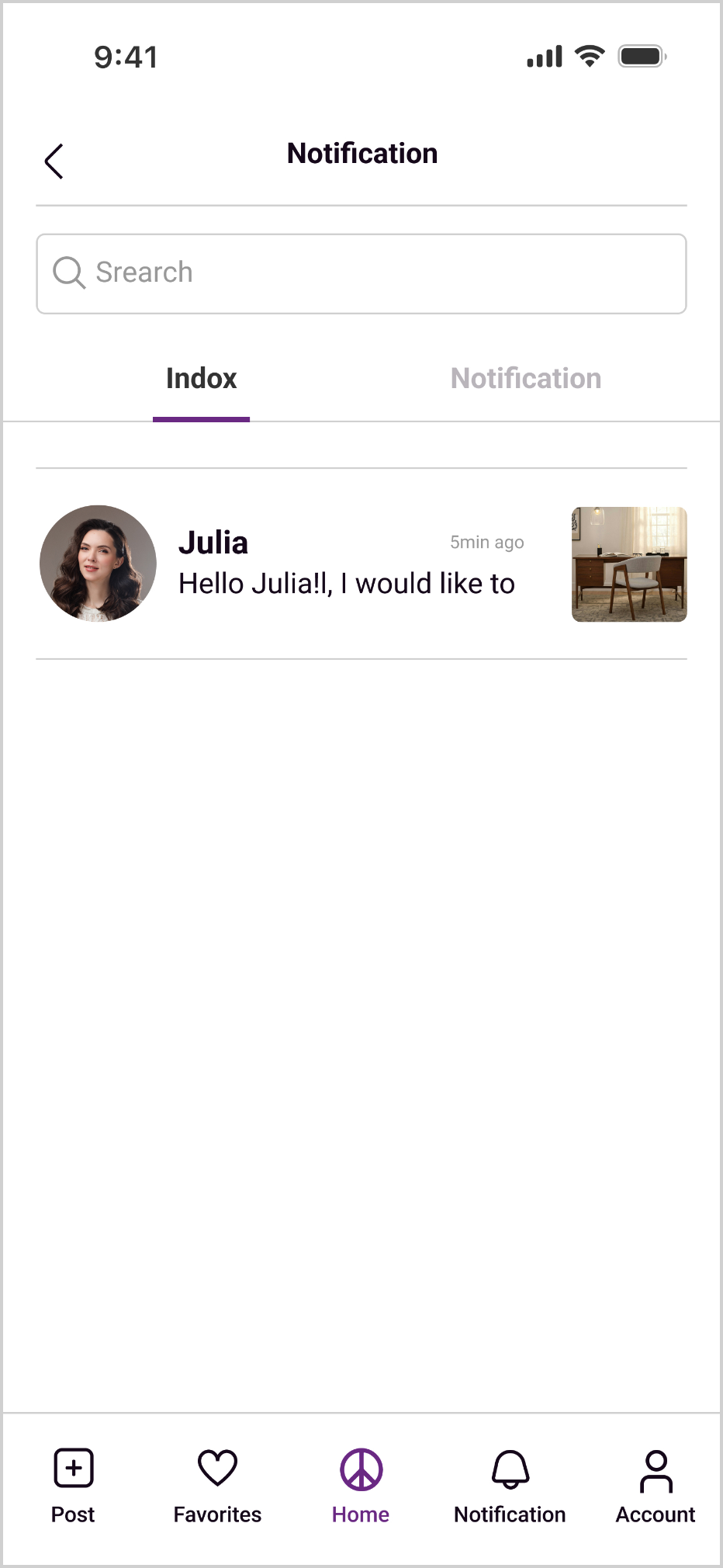
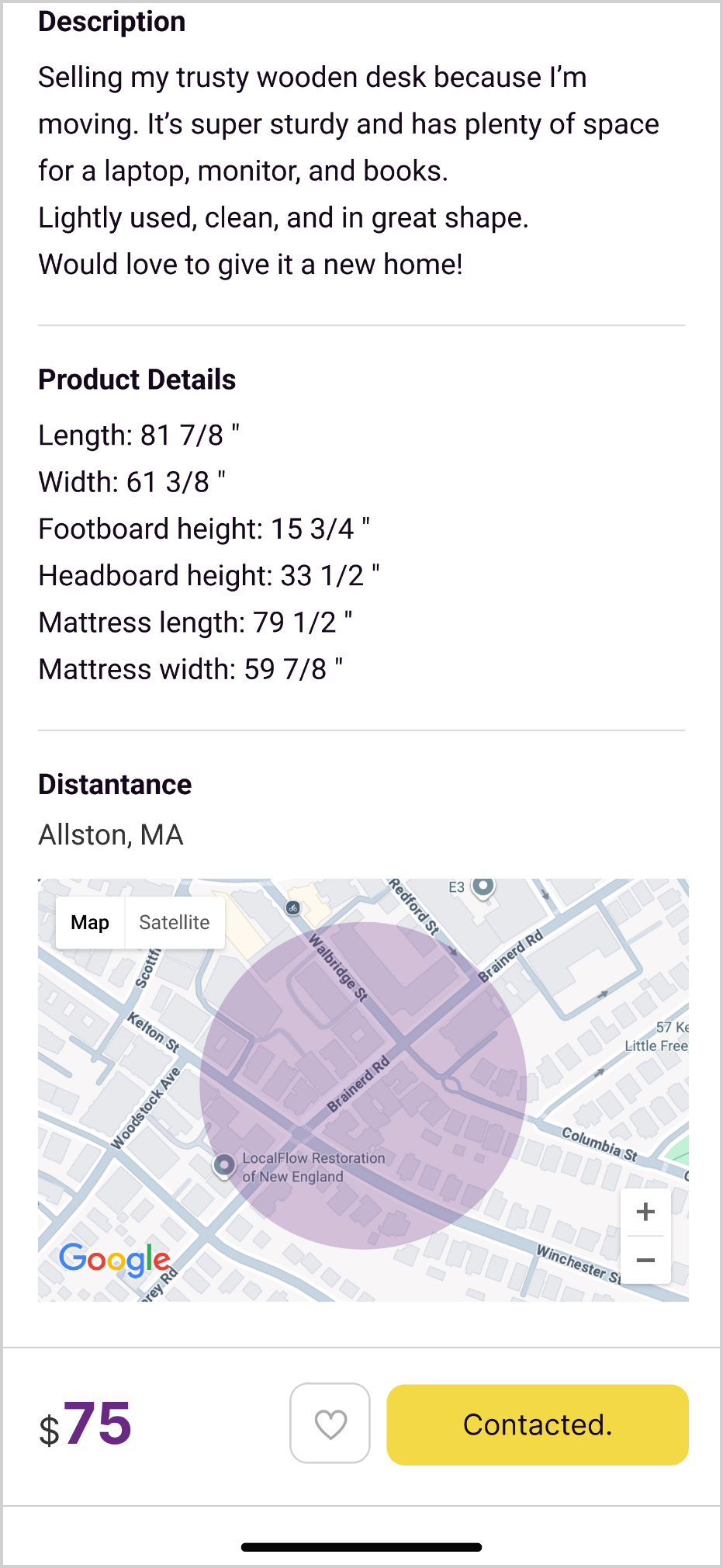
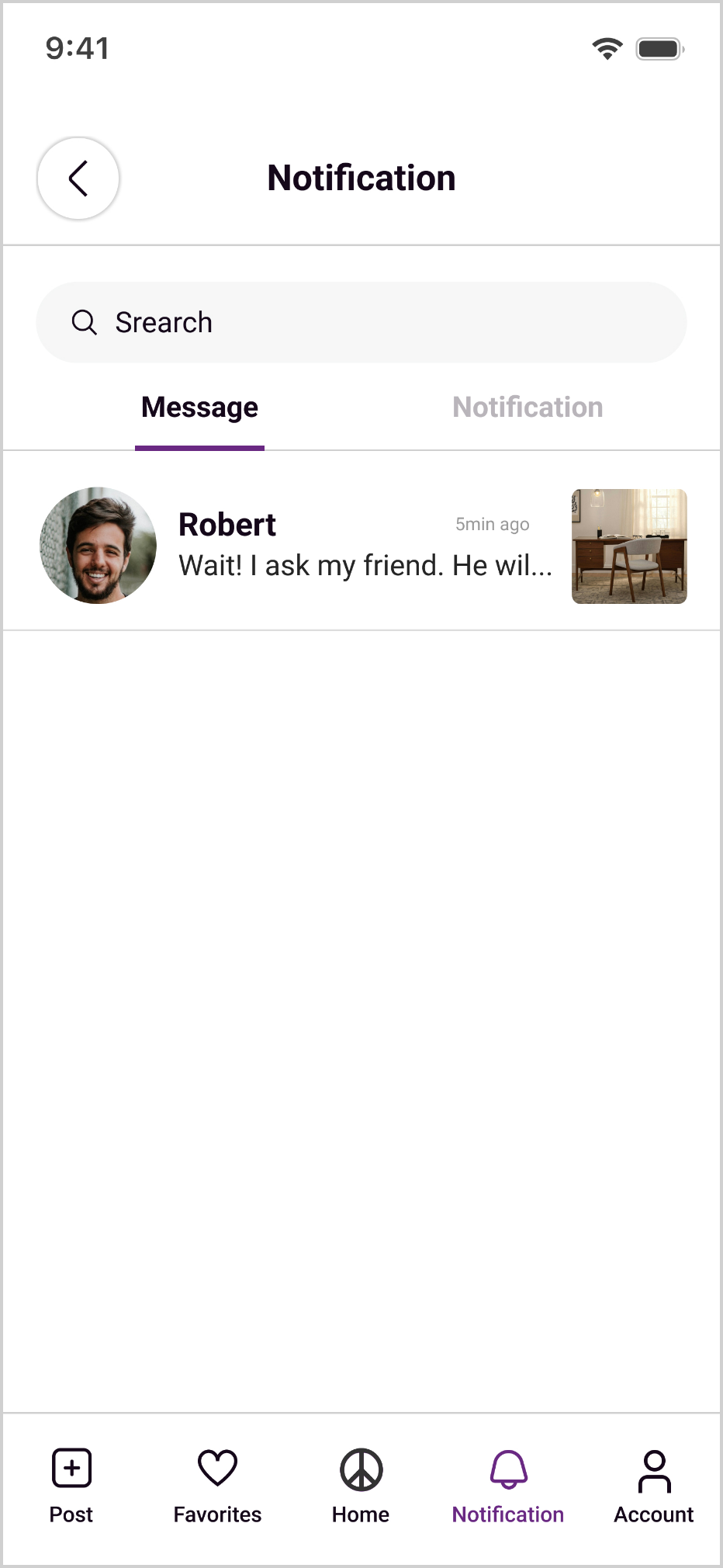
Each conversation is linked to its corresponding listing and includes the item photo and key details, helping buyers quickly understand the context of the conversation. I also added inquiry status indicators so buyers can see which listings they have already contacted and avoid sending duplicate inquiries.
Previous vision
Redesign vision
Key Changes
Add in-app messaging so buyers can contact sellers without leaving the app.
Show a listing preview in each conversation, including the item photo and key details, to help buyers quickly understand the context.
Keep listing details and conversation history within the same flow so buyers can manage their inquiries more easily.
Display a different status for listings that have already been contacted, helping buyers avoid duplicate inquiries.
Usability Testing
After completing the high-fidelity prototype, I conducted a task-based usability test to observe whether users could successfully complete the flow from searching for an item to contacting the seller.
Scenario
You recently moved into a new apartment and need to find a desk under $75. Using this app, find a listing within 5 miles of your location and contact the seller you would be most interested in buying from to arrange a pickup.
Testing Goals
- Evaluate whether users can identify the appropriate product category.
- Observe whether users notice and use the filtering feature.
- Assess whether users notice seller ratings and consider them when evaluating listings.
- Evaluate whether the in-app messaging system aligns with users’ expectations for buyer-seller communication.
- Observe whether users can complete the search, evaluation, and seller contact flow independently.
Participants: 12
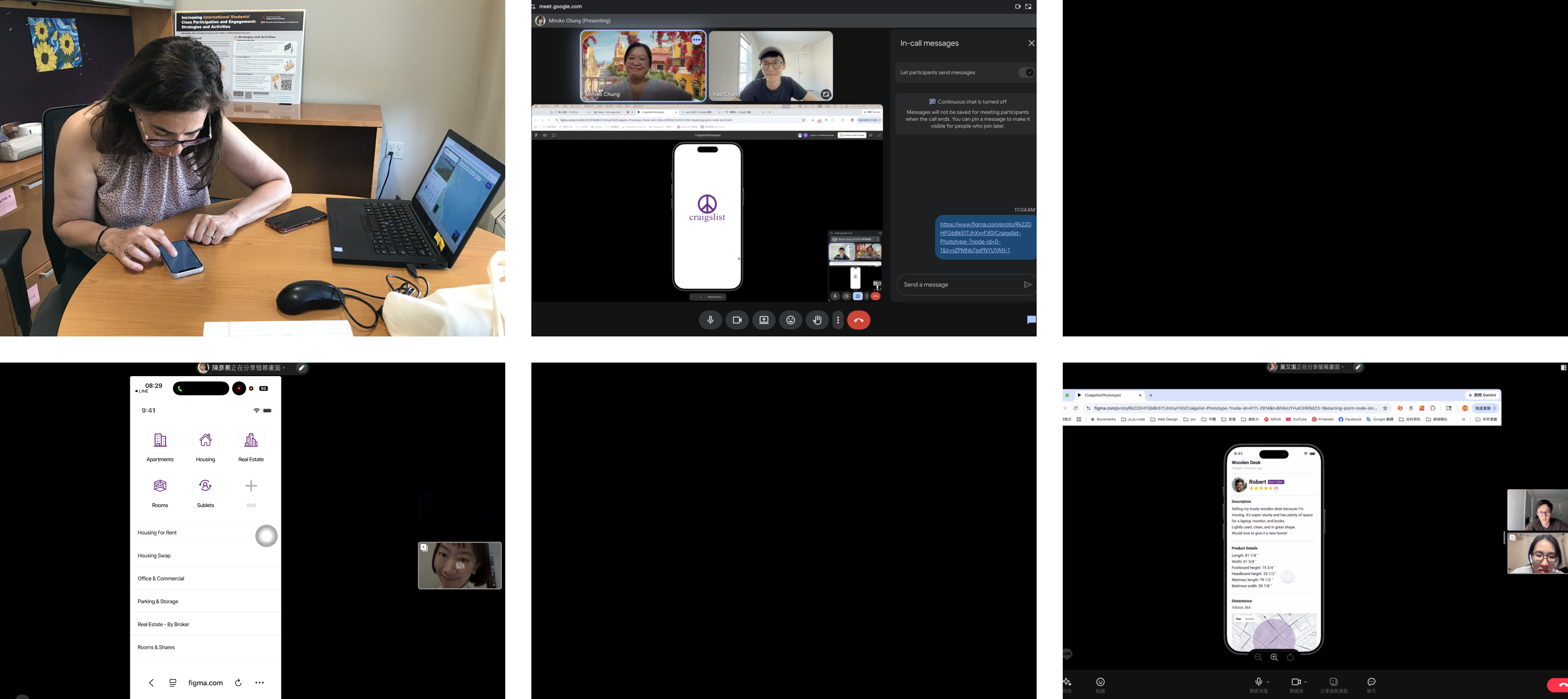
Overall Usability (SUS Score)
74.4 / 100 — above the commonly cited industry average of 68. Item-level responses showed learnability was a particular strength (participants felt they could get started quickly without much guidance), while perceived consistency was the relative weak point.
Prototype V2: Iteration
The most valuable part of the usability test was that it challenged my initial assumptions and revealed gaps between how I expected users to interact with the design and how they actually behaved.
Change 1:Homepage Needed Stronger Orientation and Category Cues
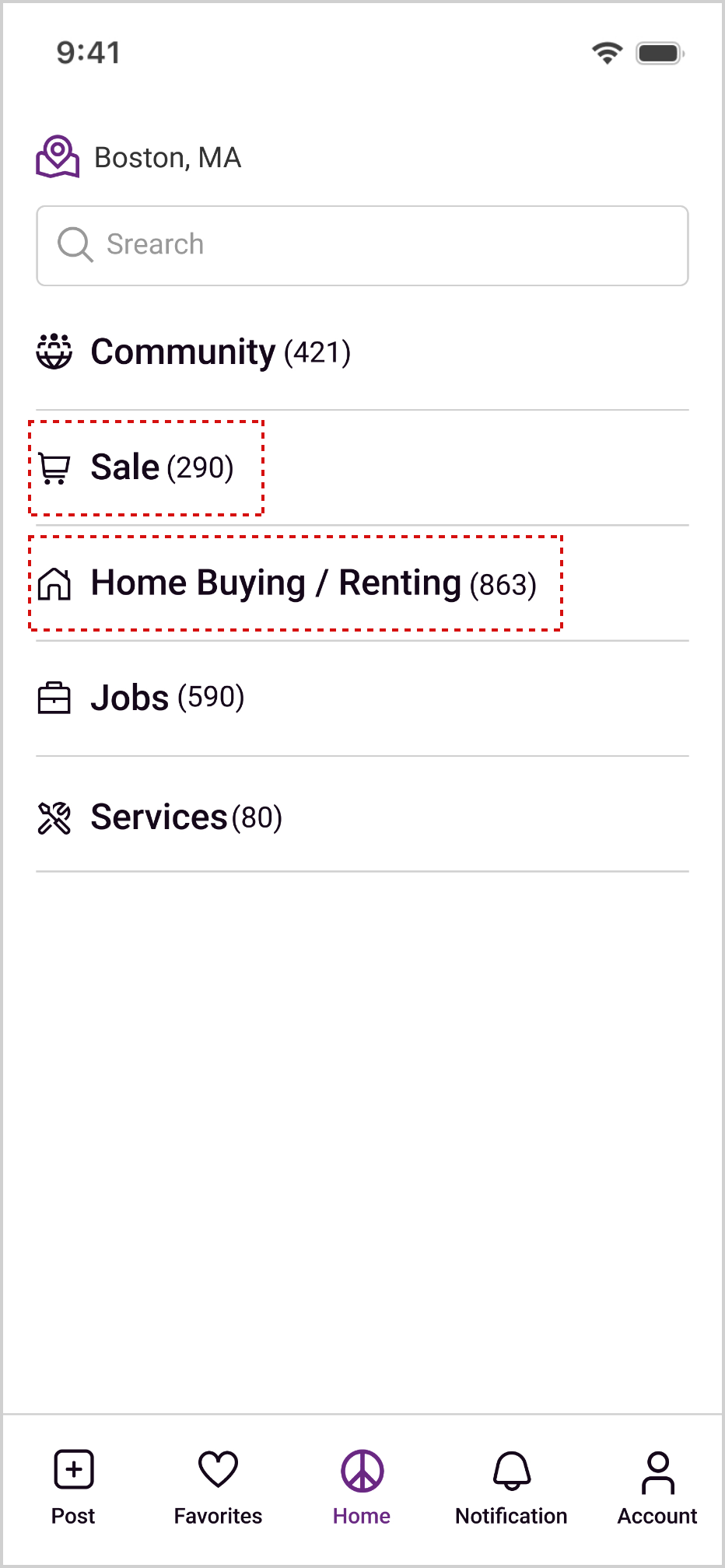
Initial assumption: I assumed that users could quickly start the task from the home screen by using the text-based categories or the search bar.
Testing observations:



First entered the Housing category when looking for furniture and only found the For Sale category later.

Mentioned that the home screen lacked clear guidance, making it unclear whether they should start with search, categories, or browsing.
Prototype V1
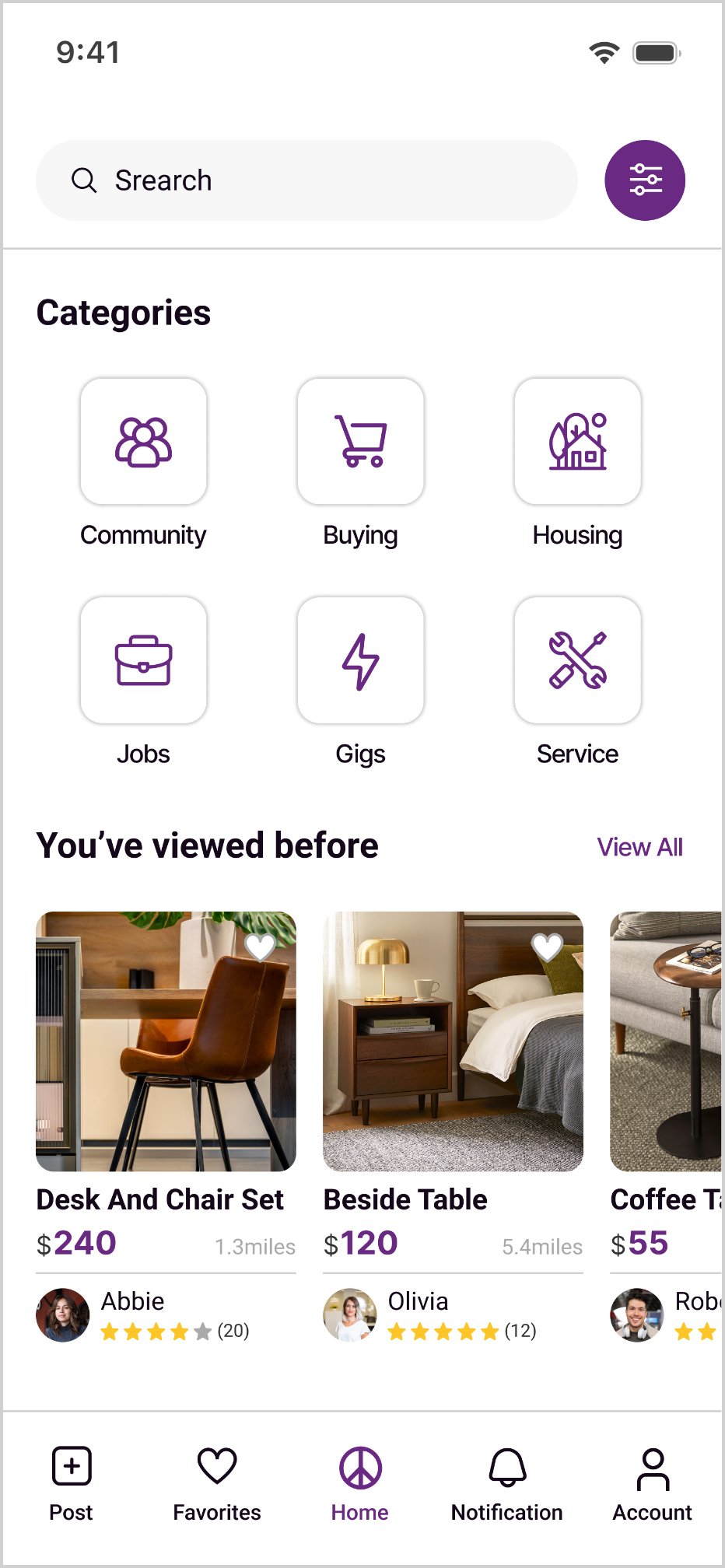
Prototype V2
Design Change
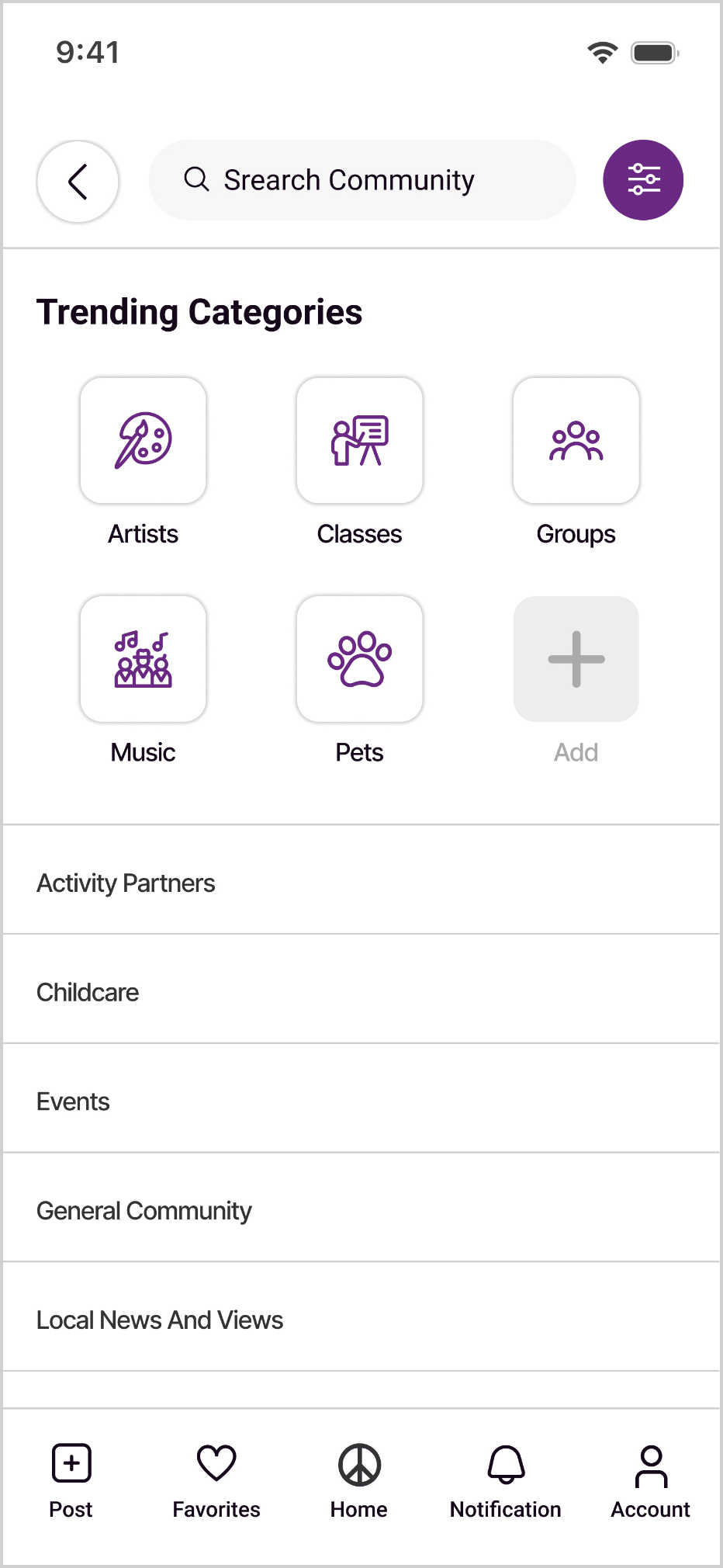
I redesigned the home screen from a list-based category layout into a clearer category card layout. Each primary category includes an icon to improve visual recognition, while common subcategories are surfaced as shortcuts so buyers can better understand what each category contains before entering it.
Buyers can also add frequently used subcategories to their shortcuts for faster access. In addition, I added You’ve viewed before and Recommended for You sections, allowing the home screen to function not only as a category entry point, but also as a way for buyers to return to previously viewed listings or start exploring related items.
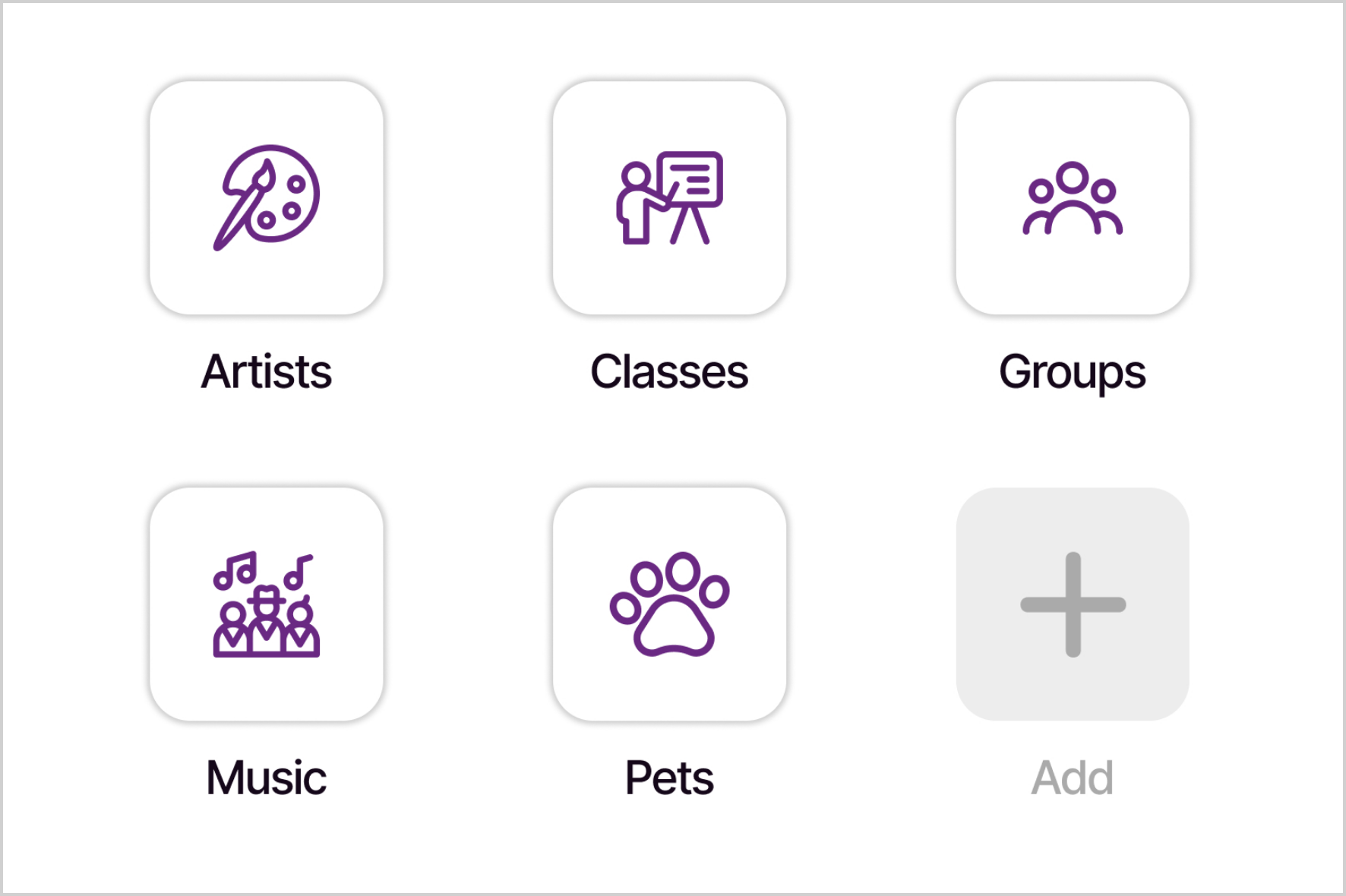
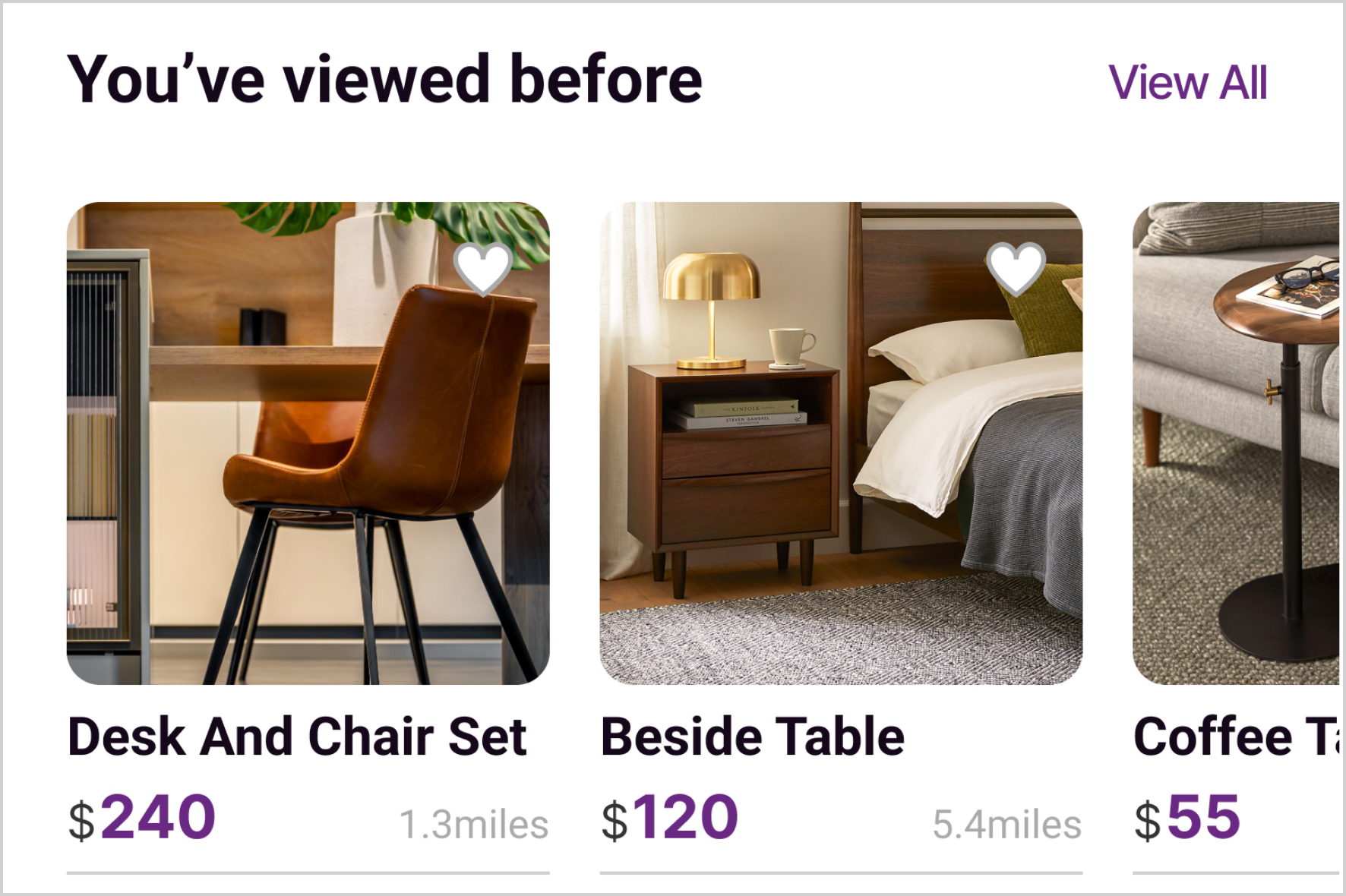

The home screen should do more than provide navigation. It also needs to help users orient themselves and decide where to start. In a marketplace experience, buyers may not always know exactly what to search for or which category to enter first. Clear category cues, subcategory shortcuts, and browsing prompts can reduce uncertainty at the starting point and help buyers move into the task more quickly.
Change 2:Filters Needed Stronger Visibility
Initial assumption: I assumed that placing the filter controls near the search bar would make them easy for users to find and use when needed.
Testing observations:

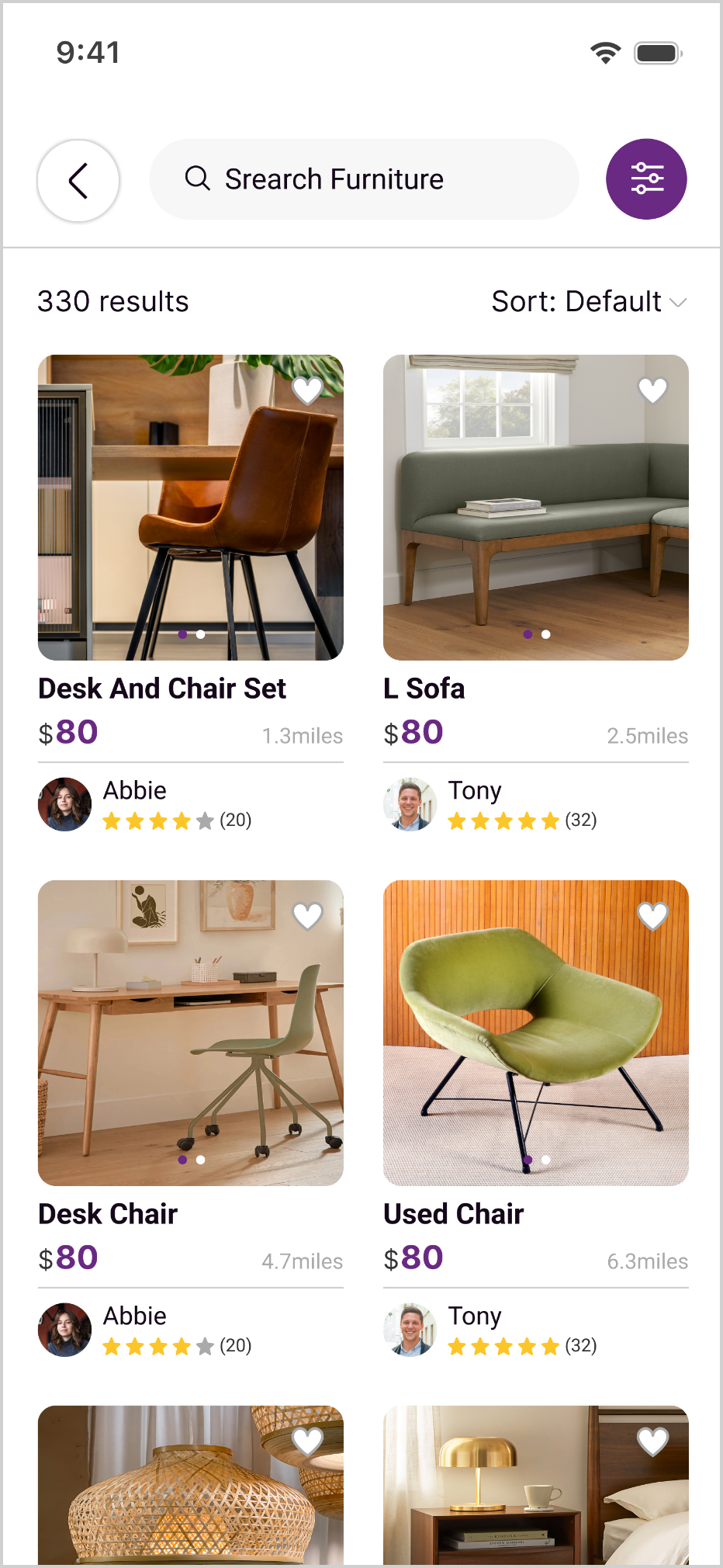
3 participant did not notice the filter controls on the search results page.

2 participants did not notice the applied filter tags after narrowing down the results.
Insight
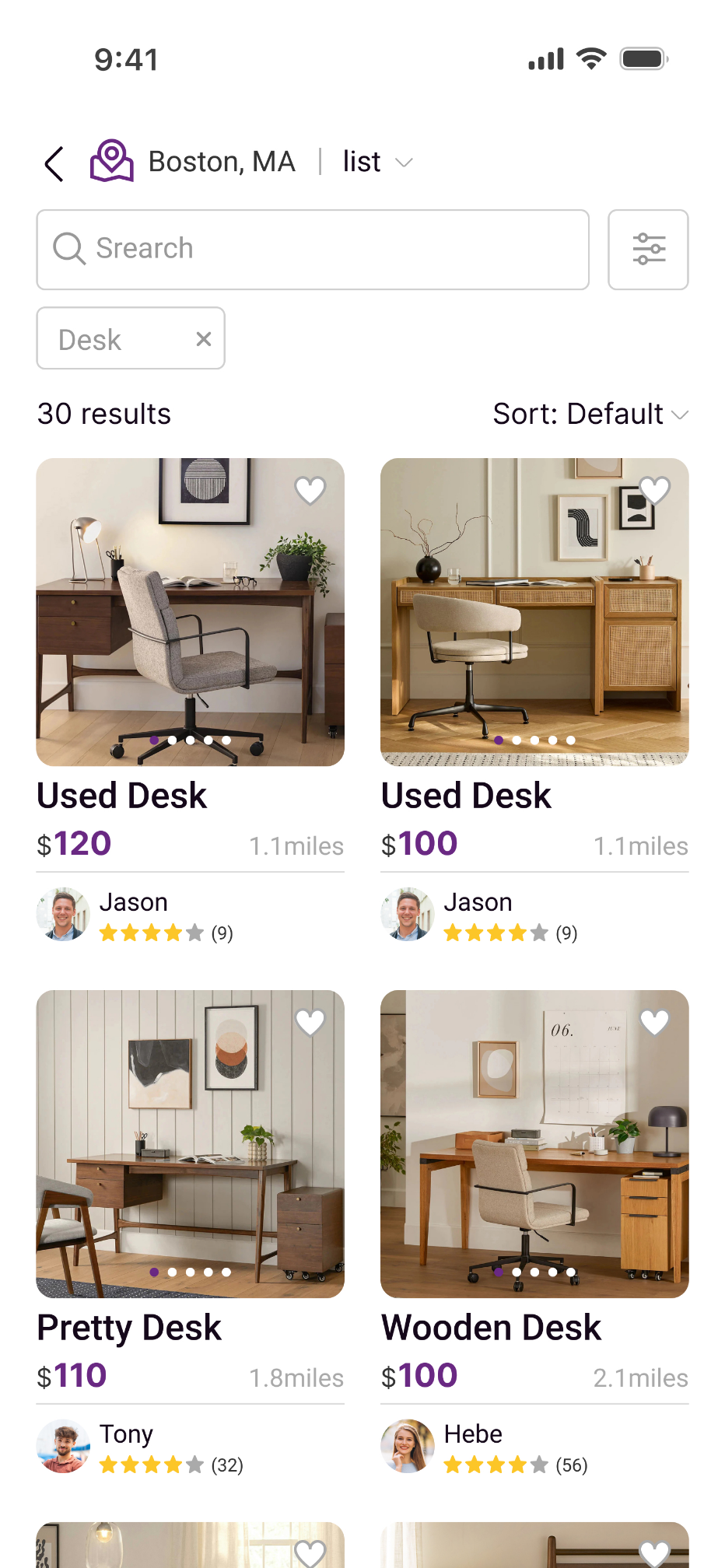
Although the filtering feature was available, its visibility and status feedback were not strong enough. As a result, users had difficulty understanding which filters were currently applied and struggled to further narrow down the search results.
Prototype V1
Prototype V2
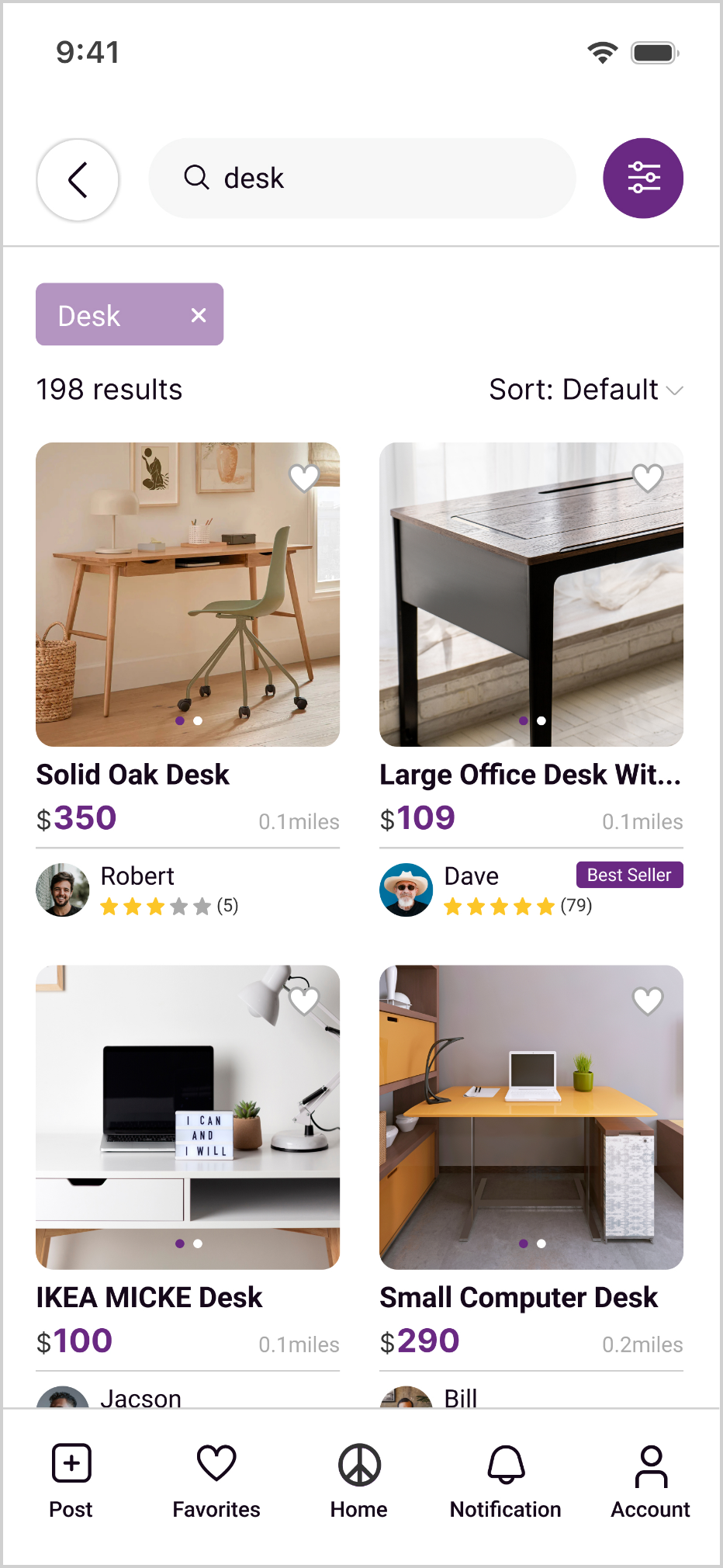
Design Change
I made the filter controls more prominent so price, distance, and category filters were easier to discover. I also made the applied filters visible on the search results page, allowing buyers to quickly understand their current search criteria and remove filters they no longer needed.
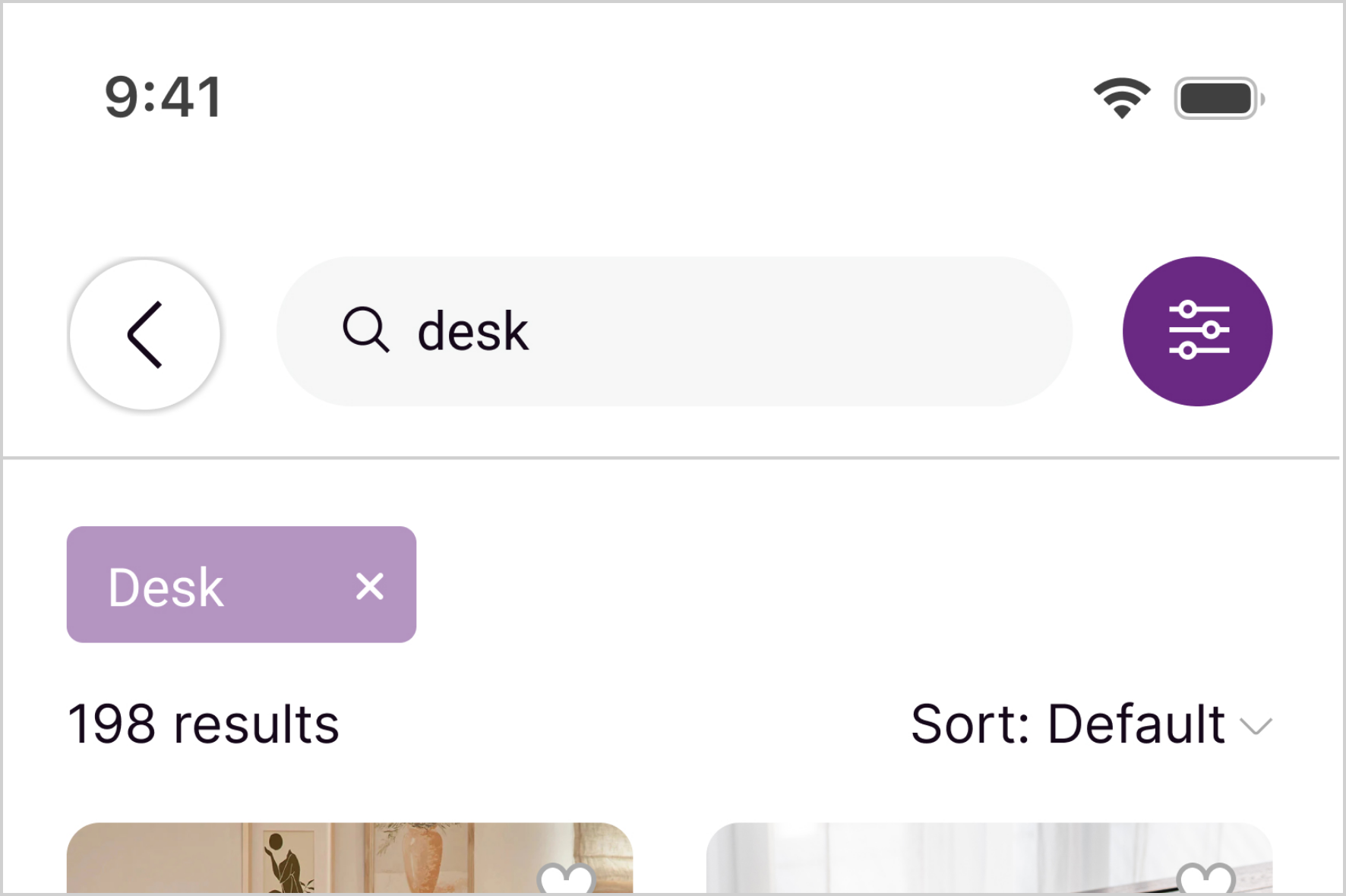
A feature being available does not mean it is usable. In a high-density search experience, filters need to be visible at the right moment. Otherwise, users can still feel overwhelmed by the volume of results.
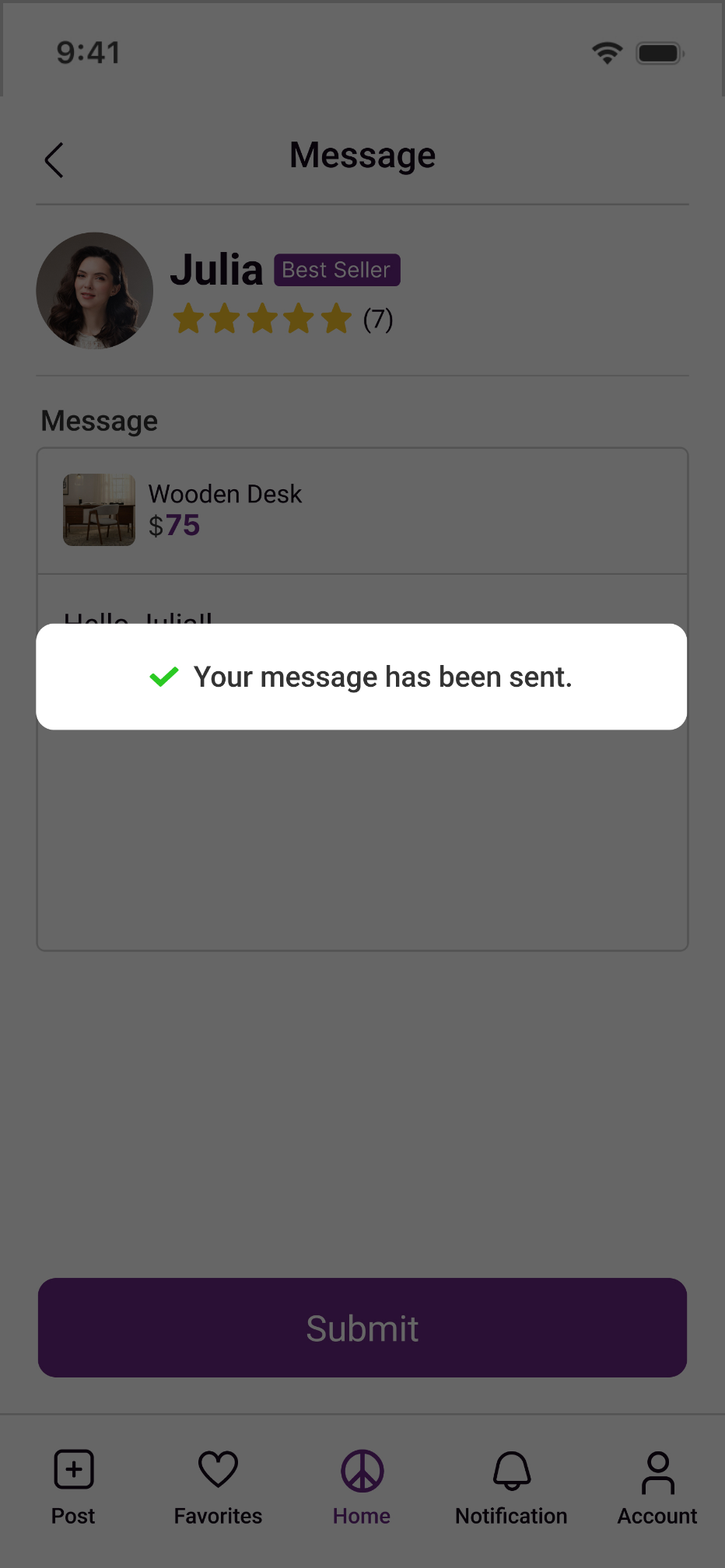
Change 3:Messaging Needed to Match Familiar Interaction Patterns
Initial assumption: My original messaging design focused on allowing buyers to contact sellers within the app and avoid leaving the platform.
Testing observations:
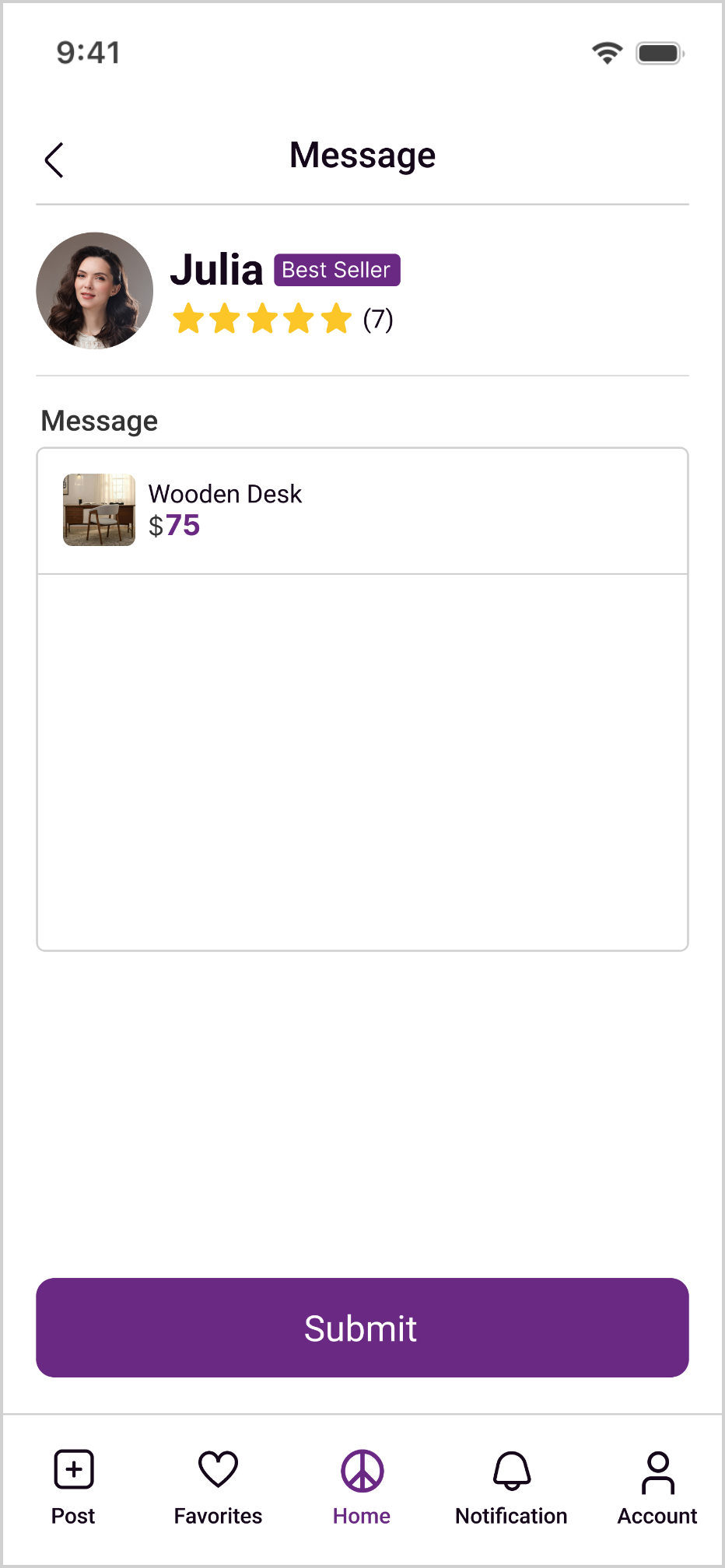
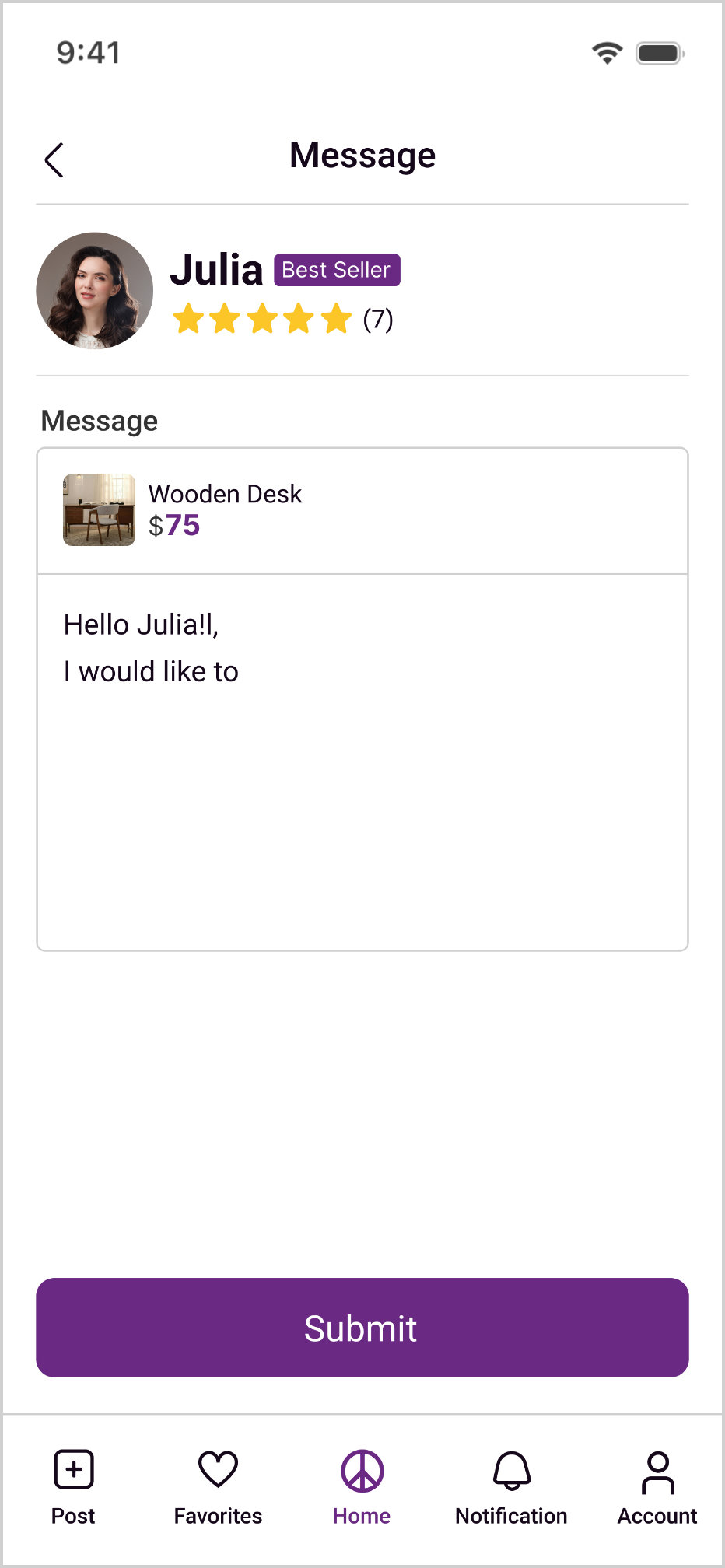
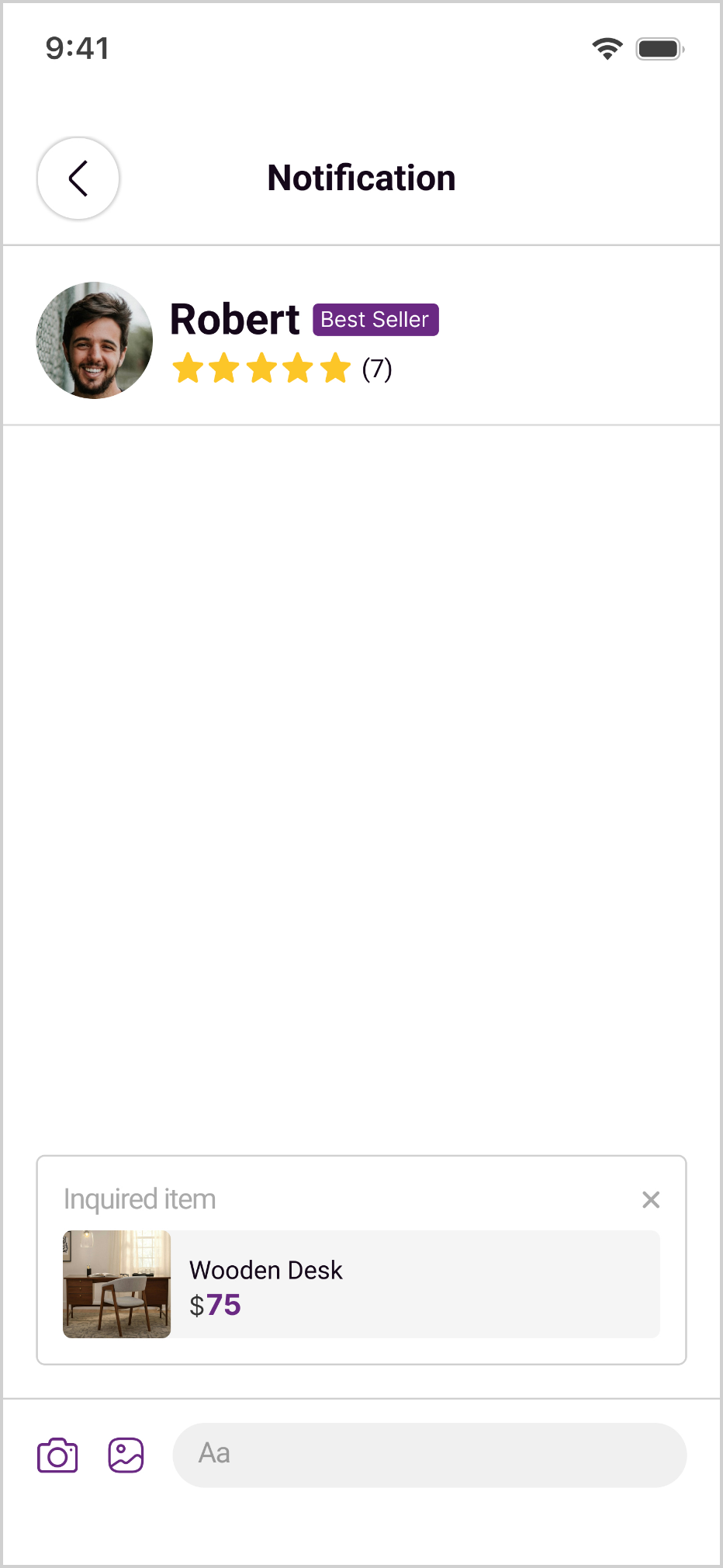
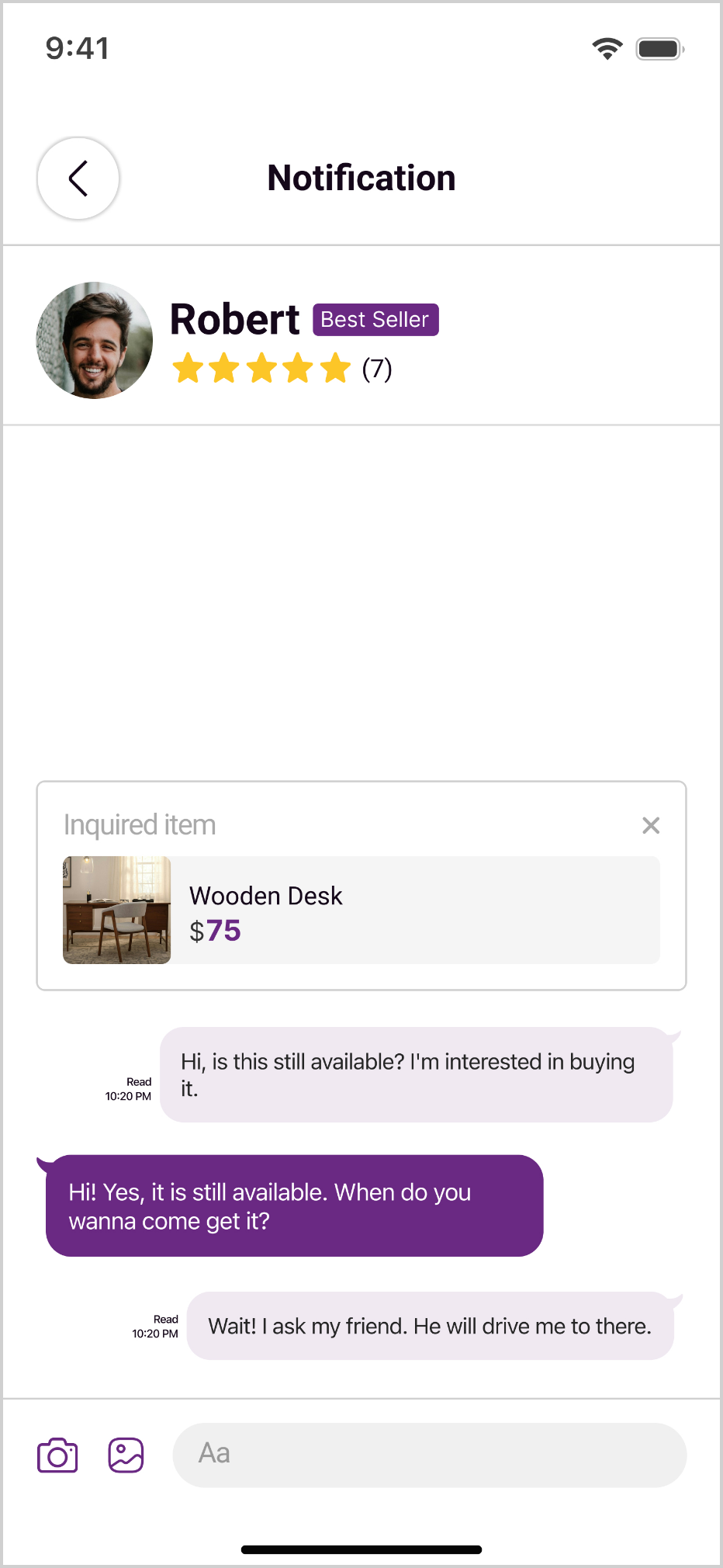
2 participants mentioned that they expected the seller contact experience to feel more like a chat-based messaging tool, rather than a traditional email or form-style message.
Insight
This suggested that users’ mental model for marketplace messaging was closer to an immediate, familiar, conversation-centered interaction pattern.
Prototype V1
Prototype V2
Design Change
I refined the messaging page to make the conversation feel closer to a familiar chat-based experience. At the same time, I kept the listing preview within each conversation so buyers could quickly identify which item the conversation was about and avoid confusing inquiries across different sellers.
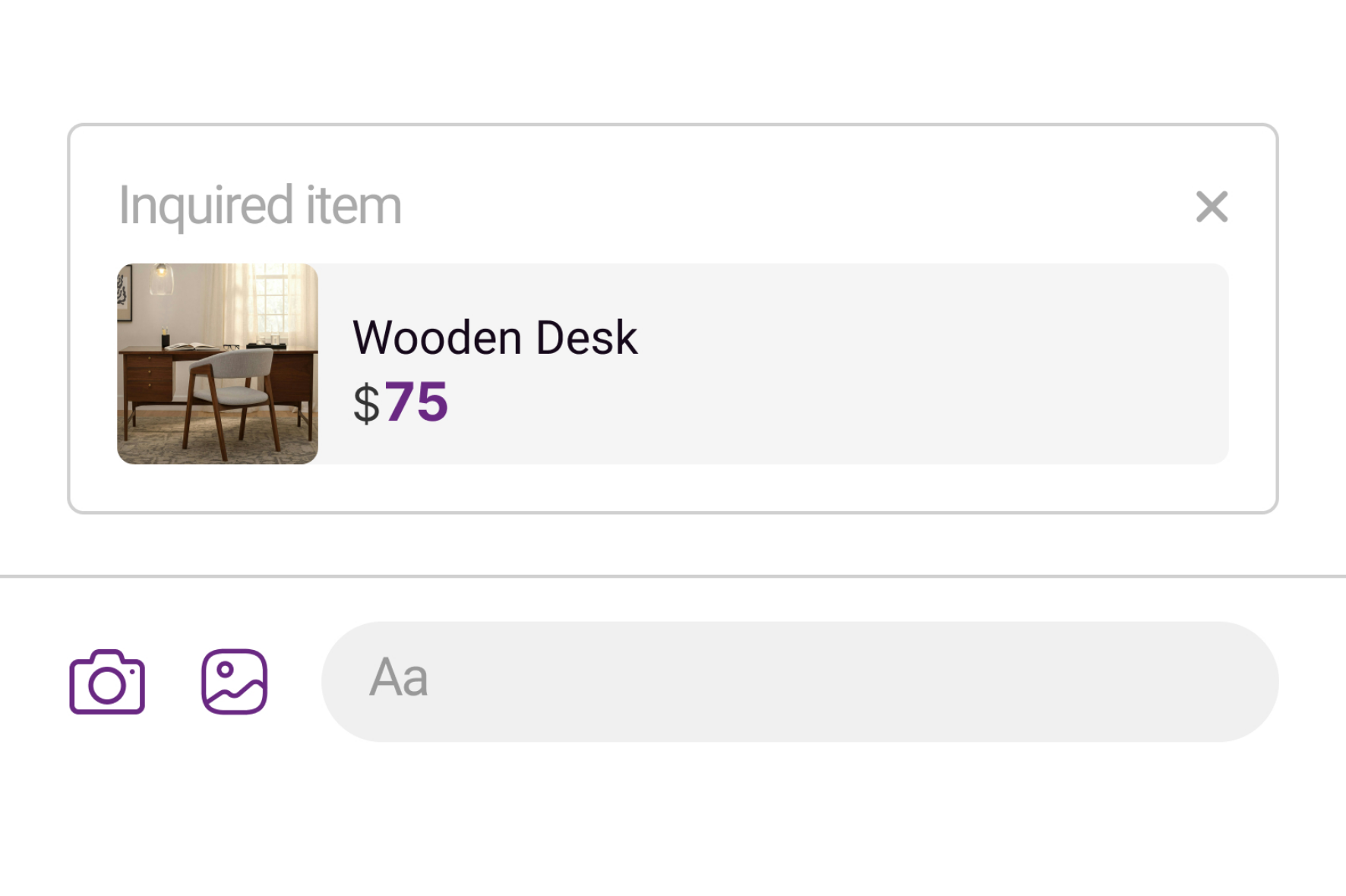
In-app messaging is not just about moving seller contact into the app. It also needs to align with users’ existing mental model for immediate communication. A familiar interaction pattern can reduce the learning curve and make follow-up coordination with sellers easier.
Experimental Validation: Filter Visibility
Research Question
Does the V1 or V2 filter design affect how many users discover and use filtering on their own?
Hypothesis
The V2 design increases the visual prominence of the filter controls and the applied filter tags, with the goal of helping more users discover and use filtering on their own.
Method
I recruited 8 new participants, none of whom had seen either prototype before, and randomly assigned them into two groups of four. Group A tested the V1 filter design; Group B tested V2, which increased the visual prominence of both the filter controls and the applied filter tags. Each participant worked only with the version they were assigned, completing the same task: find a secondhand desk under $75, within 5 miles.
GroupA(V1)
GroupB(V2)
Discovered filtering on their own
50%(2/4)
100%(4/4)
Successfully applied a filter
50%(2/4)
100%(4/4)
Completed the task
75%(3/4)
100%(4/4)
In the original design, half of the participants never noticed the filter controls on their own. In the redesigned version, every participant discovered and used filtering without any prompting.
Design Decision
These results supported the decision to increase the visual prominence of the filter controls and applied filter tags. The redesign clearly improved discoverability, and every participant who used filtering was able to complete the task afterward.
Limitations
This was a prototype-based test, not a live production experiment, and the sample size was small (n=8). The results should be read as directional evidence rather than a statistically significant finding — with only four participants per group, any single participant's individual differences could meaningfully shift the outcome. Confirming this finding with statistical confidence would require a larger-scale study.
Reflection
- Assumptions Are Not the Same as User Behavior: This project helped me better understand that a designer’s assumptions do not always match how users actually behave. Even when the category, filtering, and seller contact flows seemed reasonable in the design, the usability test still revealed unexpected paths that I had not anticipated. This showed me that the value of usability testing is not only to identify interface issues, but also to uncover blind spots in my own assumptions.
- Discoverability Matters as Much as Functionality: The filtering feature itself was not difficult to use, but it could not serve its purpose if users did not notice it. This made me pay closer attention to when a feature appears, how much visual weight it has, and how the interface guides users toward it, rather than only checking whether the feature exists.
- Marketplace Trust Comes from the Whole Flow: Trust in a marketplace experience cannot be solved by a single rating or verification signal. It comes from the continuity across listing details, seller information, communication, and inquiry status. This project helped me understand that marketplace UX is not only about helping users find an item. It is also about giving them enough confidence to take the next step.